28
SERVICE - 1 - 5
RF Key Setting :
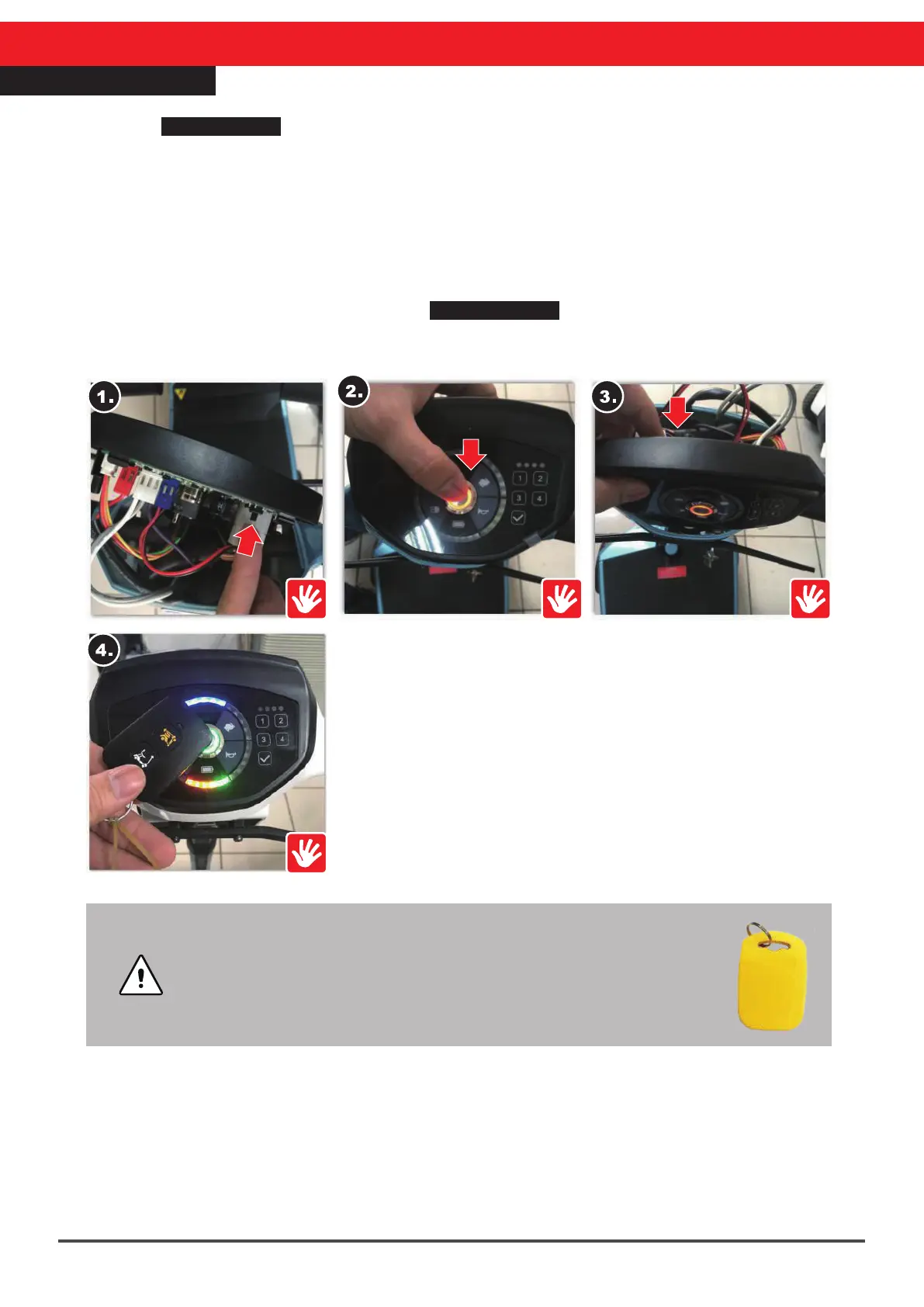
Refer to SERVICE-1 Steering Cover Repair steps as follows :
1.Find the top control board setting button.
2.Press the metal switch once, and after turning on the power, the red metal switch light
should be on.
3.Press the setting button once, and the metal switch red light should flash.
4.After the flashing stops, place the RF key near the metal switch, the scooter can be
unlocked and setting has been completed.
※Replace the steering head top cover.
※If this has not been effective, refer to SERVICE-1-1 Top Control Panel Repair.
※The top control board of the scooter can memorize up to four sets of RF keys.
•After four RF keys have been memorized, setting a fifth will
cause the first to be erased.
•Setting for the old version RF key (figure on the right) is the same,
except in the new version the RF key is integrated with the remote
control.



 To Next Page