48
SERVICE - 11
Rear Top Cover Repair
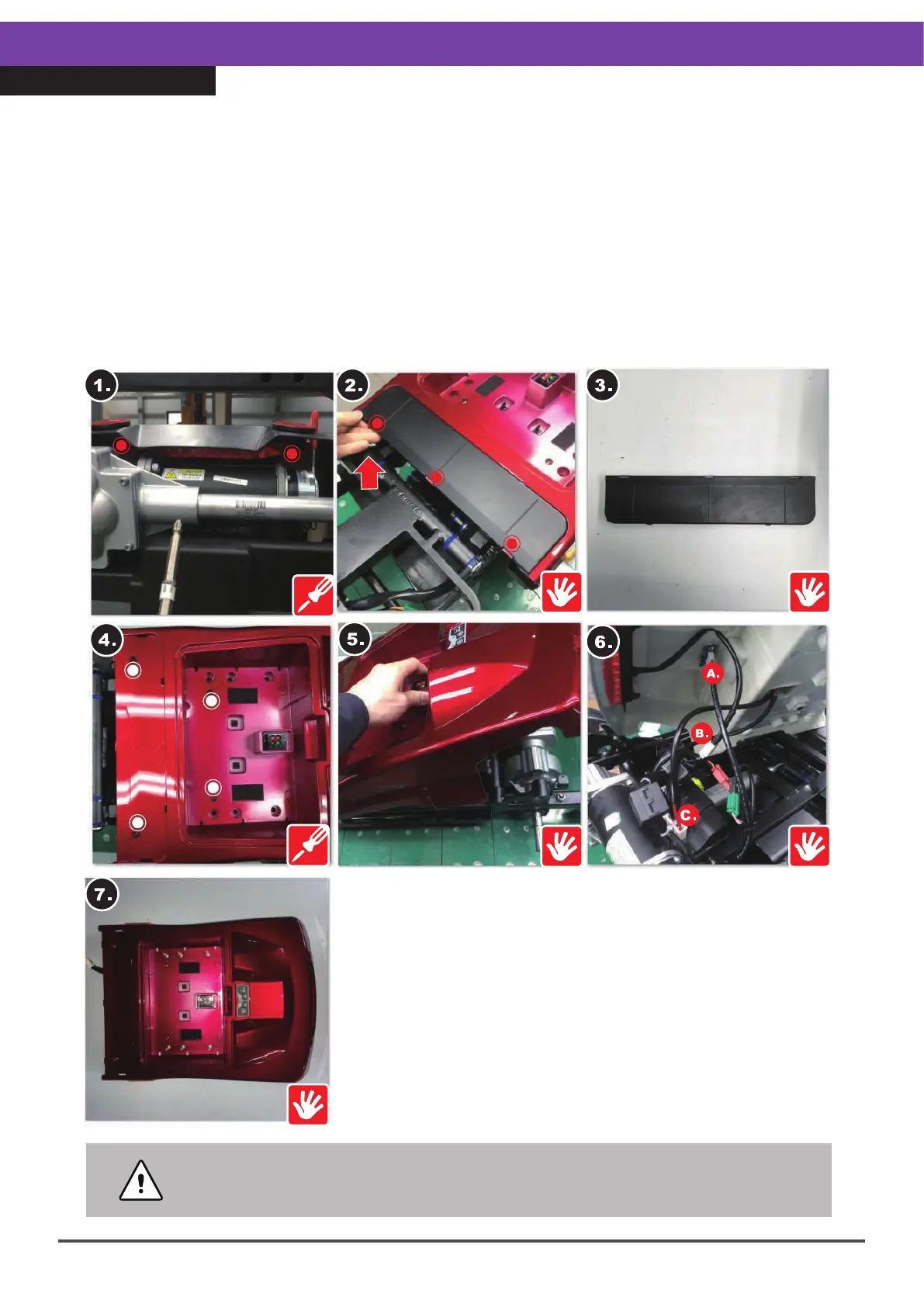
•Step 5.Lift the top cover carefully. Do not use force because this could
damage the three circuit connectors. These should be disconnected
carefully.
1.Remove the two inner screws (12mm, 2pcs) underneath the rear top cover.
2.Remove the rear footplate cover, by disengaging the three locking pins and pulling it
upwards.
3.Take out the rear footplate cover.
4.Remove the four screws (12mm, 4pcs) at the rear of the top cover.
5.Raise the top cover carefully.
6.Remove the three connectors on the inside of the cover.
7.Take the cover off.
※When reassembling, please follow the exact reverse sequence of these steps.
※For instructions about the connectors, refer to the content of the next page.



 To Next Page