20
Riva
21
Share, inspire, have fun!
With CTOUCH by your side.
ctouch.eu
OPERATING THE QUICK LAUNCHER
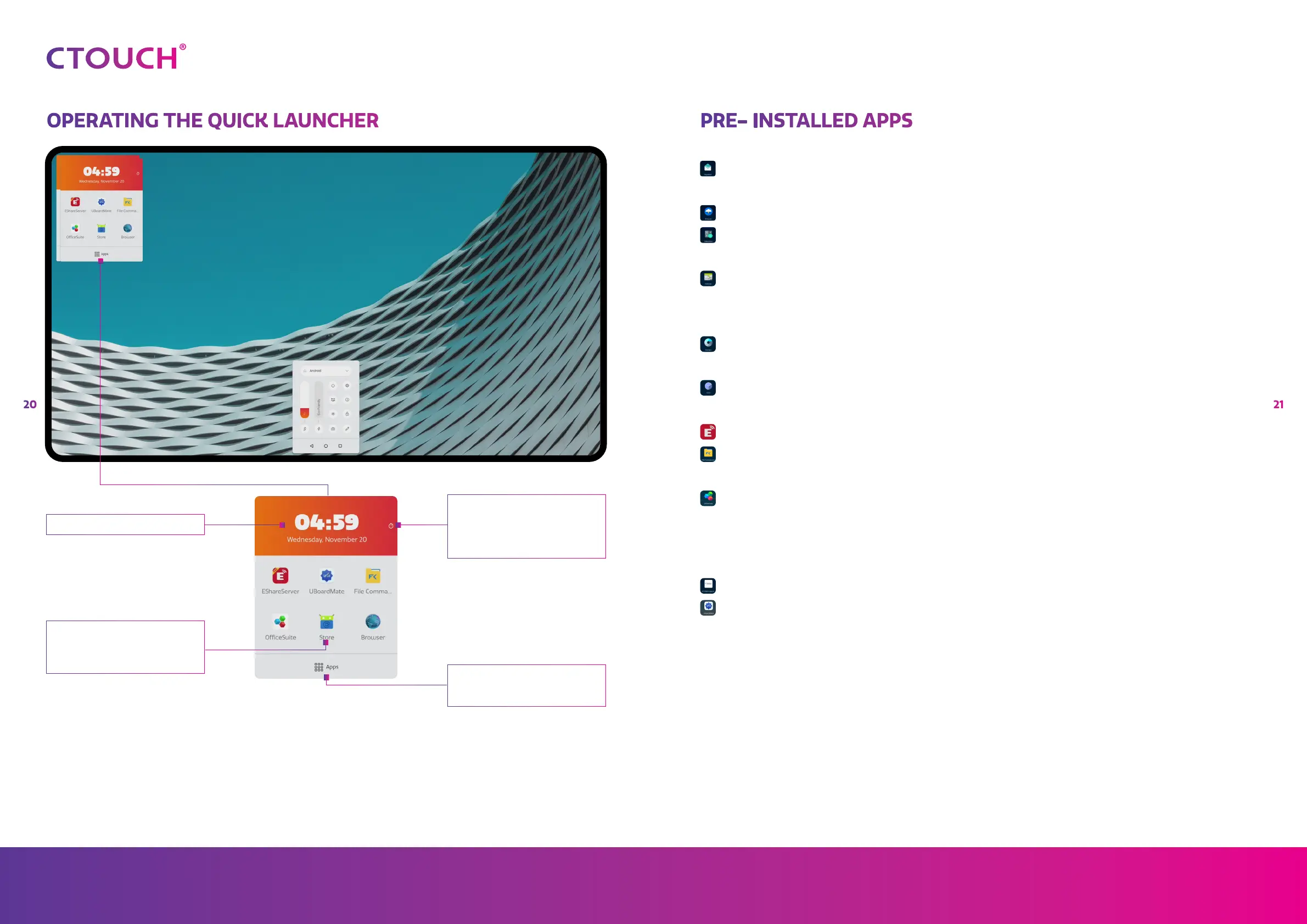
Favorite apps
The favorite apps can be changed
by press and hold the icon for 3
seconds.
Clock
Timer
If the timer is running, the color
will be green. You can switch back
to the clock or run other apps,
without changing the set timer.
All apps
Here you can find all the on the
display installed apps.
PRE- INSTALLED APPS
Aqua Mail: A mail client for using your email account on the
display.
Browser: For surfing the internet.
Calculator: For performing calculations, ranging from basic
arithmetic to complex mathematics.
Calendar: For organizing your activities. Note: the calendar of
your email account can be automatically linked when
setting up your email account in Aqua Mail.
Camera: For taking photos or making videos, if a camera is
attached.
Clock: For setting an alarm, showing the time, using a timer
and stopwatch
Eshare: For wireless content sharing.
File Commander: For opening, editing, saving & sharing Word,
PowerPoint, Excel and PDF files.*
Office Suite: A file manager to view your files, copy and paste
content from your USB to the display and the other
way around, link your cloud accounts or connect to a
FTP Server or network.
Store: For searching and installing apps of your liking.
UBoardMate: A versatile whiteboard application.
* for the best performance we advise you to place the content on the display first.
For further explanation on how to use the pre-installed apps, please go to
support.ctouch.eu.


 To Next Page