DKC600 (U) & DKC600 (U)Y SLIDING GATE OPERATOR USER’S MANUAL
Tab. 2
Note: the rack and magnet bracket / block came with your gate operator depends
on your order, select the proper installation method according to your needs.
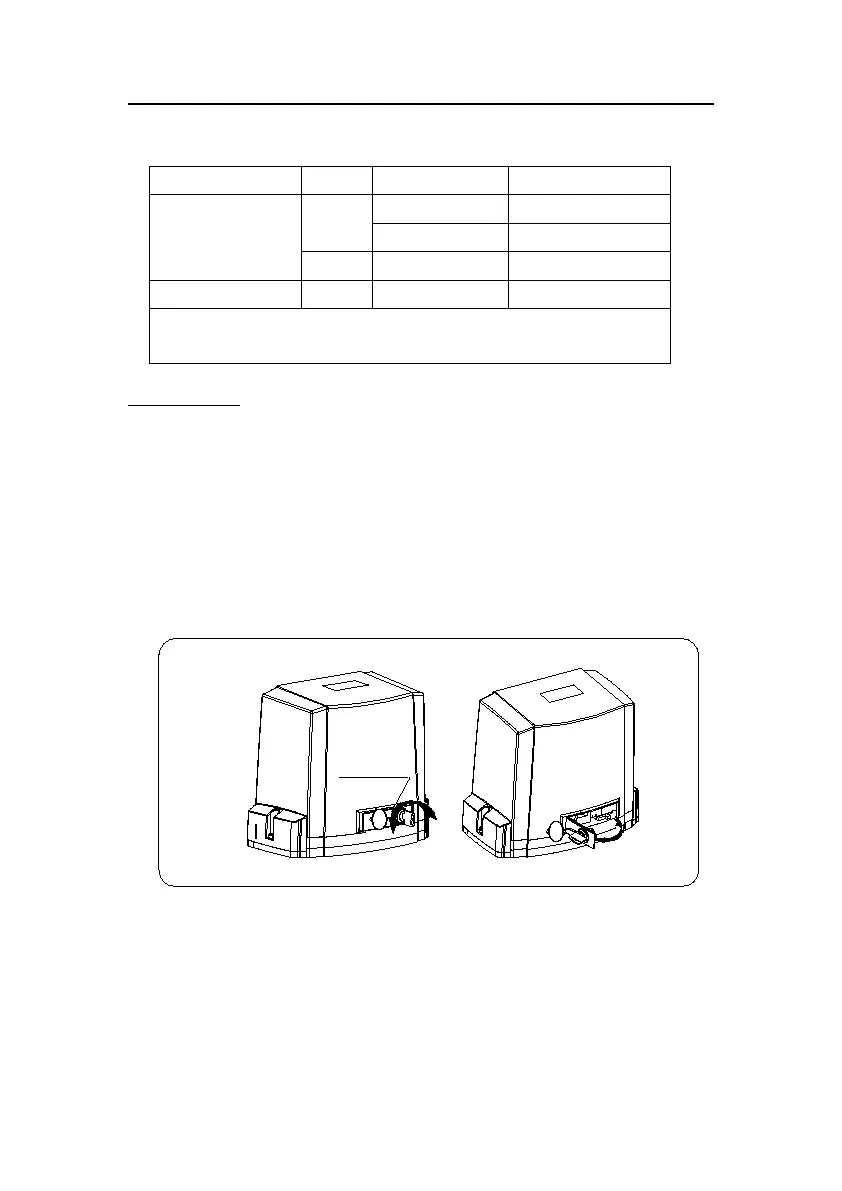
Manual operation (see Fig.11)
In case of power failure use manual release key to open or close gate manually, use the
release key as follow:
Remove the cover.
Fit the supplied key in the hole.
Turn the key counterclockwise to release the clutch.
Pull the release lever.
Open and close the gate manually.
After power-restored close the release lever, then use the manual release key to engage
the clutch by turning the key clockwise and resume normal operation.
Fig.11



 To Next Page