PAGE 10
Set Load Range
Pressandreleasetheloadrange/calibrationbuttonuntilappropriateoutputrangeisset.
Trailer GVW is less
than tow vehicle GVW
Trailer GVW is approximately
equal to tow vehicle GVW
Trailer GVW is up to 50%
more than tow vehicle GVW
Trailer GVW is more than 100%
greater than tow vehicle GVW
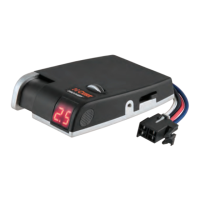
Set Output
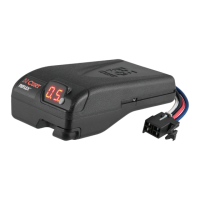
With the trailer connected and engine running to ensure proper charge voltage, while
parked without the brake pedal applied, slide the manual control lever to the left as far as it
will go. While holding the manual control, turn the output wheel located on the left side of
the module until 5.0. is displayed.
Output Adjustment
Drive forward at about 25 mph with enough distance for safe braking, apply the trailer's
brakes using the manual control lever only. The output should be set to a point where
brakes do not lockup, but stops are rm and smooth. If needed, adjust the output setting
up or down, then retry.
Confirm Settings
Using the brake pedal, make additional stops at 25 mph. Stops should be rm and smooth.
If needed, adjust the output setting up or down. IMPORTANT: Always check trailer brake
condition before towing. Brake control cannot compensate for worn or defective brakes.


 To Next Page