EasyManua.ls Logo

Curtis 1268-5403 - User Manual

Curtis 1268-5403
6 pages
Print Icon
To Next Page IconTo Next Page
Loading...
Generic Golf (1268-5403) Install Sheet-370 Rev 01 05/25/18 Sheet 1 of 6
CHECK MOTOR WINDINGS:
Set your VOM to RESISTANCE (Ω).
To test the resistance of VOM leads, please touch the meter leads together.
Subtract this measurement from each test below to get your true measurement.
With motor disconnected, measure A1 to A2. This should measure approximately BETWEEN .2Ω and 2Ω.
With motor disconnected, measure F1 to F2. This should measure approximately BETWEEN .8Ω and 3Ω.
With motor disconnected, measure A1 to F1. This should measure OPEN.
With motor disconnected, measure F1 to motor case. This should measure greater than 5MΩ.
CHECK MAIN SOLENOID:
Disconnect all wires from the main solenoid.
Set your VOM to RESISTANCE (Ω).
Measure the solenoid coil. This should measure 100Ω - 250Ω (depending on solenoid type).
Connect VOM leads to the main solenoid lugs.
Attach jumpers from main battery positive and negative to the coil (small terminals).
Meter should jump from infinity to LESS THAN .3Ω.
Remove jumpers and reconnect solenoid wiring from the harness. (If suppression diode is present,
the non-banded side must go to the wire from J1 pin 17 from the controller. Be sure to check diode
functionality with VOM prior to install. If pre-charge resister is installed, please remove. This control is
equipped with an internal resistor, and installing one on the solenoid could cause damage to the control.)
CHECK THE CART WIRE HARNESS:
Check the connectors on the wire harness for corrosion, loose, broken, burnt or missing pins.
Repair or replace pins as necessary.
STEPS TO PERFORM BEFORE CONTROL INSTALLATION
Curtis 1268-5403
This sheet is provided to aid in the installation of your remanufactured CURTIS controller.
Upon installation, you may encounter problems that may, or may not, be due to a faulty
controller. The following steps must be taken to help diagnose a possible cart fault or faulty
controller. An analog or digital volt ohm meter (VOM) will be needed to perform these checks.
WARRANTY WILL BE VOID
If These Steps are Not Performed Before Installing The Control
IF ANY OF THE ABOVE ITEMS ARE NOT WITHIN THE SPECIFIED RANGES THE CONTROLLER WILL FAIL.
THESE ITEMS MUST BE CORRECTED BEFORE THE CONTROLLER IS INSTALLED OR WARRANTY WILL BE VOID.
It is recommended to replace your solenoid at the time of controller replacement. FSIP now stocks popular replacement White Rodgers solenoids for your convenience.

Questions and Answers

Summary

Pre-Installation Checks and Warranty Information

Motor Winding Resistance Checks

Tests the resistance of motor windings (A1-A2, F1-F2, A1-F1, F1-Motor Case) before controller installation.

Main Solenoid Checks

Verifies main solenoid coil resistance and connection before controller installation.

Cart Wire Harness Inspection

Checks cart wire harness connectors for corrosion, looseness, or damage.

Warranty Void Conditions

Outlines conditions under which the controller warranty will be void.

Troubleshooting Voltage Measurements

Pack Voltage and Charger Interlock Verification

Measures pack voltage at J1-4 and checks charger interlock at J1-2.

Key Switch and Main Contactor Output Tests

Tests key switch operation at J1-1 and main contactor output at J1-17.

Forward;Reverse and Pedal Switch Voltage Tests

Checks F/R switch inputs (J1-10, J1-11) and pedal switch inputs (J1-8).

Reverse Alarm and Optional Pin Checks

Tests reverse alarm signal (J1-19) and optional pin J1-13.

Throttle and Speed Sensor Voltage Signals

Verifies throttle position (J1-15) and speed sensor signals (J2-4, J2-6, J2-5).

Optional Feature Pin Diagnostics

Diagnoses optional features like Walkaway, Brake Light, Mode Switch, and LEDs.

Controller Fault Codes and Explanations

Troubleshooting Chart: LED Codes

Lists LED fault codes, their display names, explanations, and possible causes.

Troubleshooting Chart: Continued Faults

Continues the troubleshooting chart for additional LED fault codes and causes.

LED Diagnostics and Status Indicator

Explains how to interpret the controller's built-in status LED and fault codes.

Helpful Hints and Support

Motor and Solenoid Check Importance

Emphasizes the importance of motor resistance and main solenoid checks to prevent damage.

Technical Support Resources

Provides contact information and links for technical support, FAQs, and forums.

Summary

Pre-Installation Checks and Warranty Information

Motor Winding Resistance Checks

Tests the resistance of motor windings (A1-A2, F1-F2, A1-F1, F1-Motor Case) before controller installation.

Main Solenoid Checks

Verifies main solenoid coil resistance and connection before controller installation.

Cart Wire Harness Inspection

Checks cart wire harness connectors for corrosion, looseness, or damage.

Warranty Void Conditions

Outlines conditions under which the controller warranty will be void.

Troubleshooting Voltage Measurements

Pack Voltage and Charger Interlock Verification

Measures pack voltage at J1-4 and checks charger interlock at J1-2.

Key Switch and Main Contactor Output Tests

Tests key switch operation at J1-1 and main contactor output at J1-17.

Forward;Reverse and Pedal Switch Voltage Tests

Checks F/R switch inputs (J1-10, J1-11) and pedal switch inputs (J1-8).

Reverse Alarm and Optional Pin Checks

Tests reverse alarm signal (J1-19) and optional pin J1-13.

Throttle and Speed Sensor Voltage Signals

Verifies throttle position (J1-15) and speed sensor signals (J2-4, J2-6, J2-5).

Optional Feature Pin Diagnostics

Diagnoses optional features like Walkaway, Brake Light, Mode Switch, and LEDs.

Controller Fault Codes and Explanations

Troubleshooting Chart: LED Codes

Lists LED fault codes, their display names, explanations, and possible causes.

Troubleshooting Chart: Continued Faults

Continues the troubleshooting chart for additional LED fault codes and causes.

LED Diagnostics and Status Indicator

Explains how to interpret the controller's built-in status LED and fault codes.

Helpful Hints and Support

Motor and Solenoid Check Importance

Emphasizes the importance of motor resistance and main solenoid checks to prevent damage.

Technical Support Resources

Provides contact information and links for technical support, FAQs, and forums.

Overview

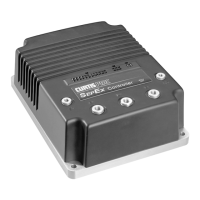
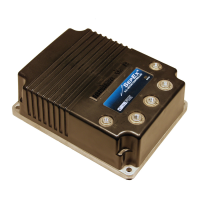
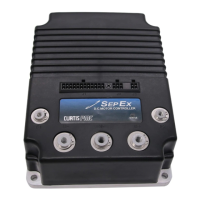
This document provides installation, troubleshooting, and maintenance information for the Curtis 1268-5403 SepEx Controller, designed for generic golf cart applications.

Function Description:

The Curtis 1268-5403 is a remanufactured SepEx (Separately Excited) motor controller for 36V/48V battery pack systems. It manages the motor's armature and field windings to control vehicle speed and direction. The controller integrates various optional features such as walkaway protection, brake light relay control, mode switching, LED driver, and backup alarm output. It interfaces with a throttle potentiometer (0-5K or 0-5V), a speed sensor, and a programmer for diagnostics and configuration. The controller is equipped with an internal pre-charge resistor, eliminating the need for an external one on the solenoid.

Important Technical Specifications:

  • Model: Curtis 1268-5403
  • Battery Voltage: 36V/48V
  • Throttle Type: 0-5K or 0-5V
  • Motor Type: SepEx (Separately Excited)
  • Internal Resistor: Equipped with an internal pre-charge resistor.
  • Connectors: J1 (main connector), J2 (speed sensor), J3 (programmer).
  • Speed Sensor Supply: J2-6 provides 14-15V.
  • Throttle Potentiometer: J1-13 (Pot High), J1-15 (Pot Wiper), J1-14 (Pot Low).
  • Logic Power: J1-4 (Logic Power In).
  • Key Switch Input: J1-1 (Key Switch In).
  • Pedal Switch Input: J1-8 (Pedal Switch In).
  • Direction Inputs: J1-10 (Forward In), J1-11 (Reverse In).
  • Main Contactor Output: J1-17 (Main Contactor Out).
  • Optional Features (Inputs/Outputs):
    • J1-3 (Walkaway Fuse Sense)
    • J1-9 (Walkaway Return)
    • J1-23 (Walkaway Driver)
    • J1-18 (Brake Light Relay)
    • J1-20 (Mode Switch In)
    • J1-22 (LED Driver)
    • J1-16 (LED Ground)
    • J1-2 (Logic Enable In)
    • J1-19 (Backup Alarm Out)
  • Diagnostic LED: A built-in Status LED on top of the controller flashes 2-digit fault codes.

Usage Features:

  • Installation: Requires careful pre-installation checks of motor windings, main solenoid, and cart wire harness to prevent damage and voiding the warranty.
  • Troubleshooting: A comprehensive troubleshooting sequence is provided, requiring a VOM (Volt Ohm Meter) and back-probing of connectors. All tests are performed with the Run/Tow switch in the RUN position and the drive wheels lifted off the ground for safety.
  • Diagnostic Codes: The controller's Status LED flashes 2-digit codes to indicate specific faults, aiding in quick diagnosis. Examples include "3,2" for a welded main contactor.
  • Optional Features: The controller supports various optional features, which may or may not be present on a specific cart. Troubleshooting steps for these features are included.
  • Programmer Interface: J3 connector allows connection to a CURTIS programmer for advanced diagnostics and configuration.

Maintenance Features:

  • Pre-Installation Checks: Essential for ensuring proper function and warranty validity. These include:
    • Motor Winding Resistance:
      • A1 to A2: Between .2Ω and 2Ω.
      • F1 to F2: Between .8Ω and 3Ω.
      • A1 to F1: OPEN.
      • F1 to motor case: Greater than 5MΩ.
    • Main Solenoid Resistance: Coil resistance should be 100Ω - 250Ω. When jumpers are applied, meter should jump from infinity to LESS THAN .3Ω.
    • Cart Wire Harness Inspection: Check for corrosion, loose, broken, burnt, or missing pins in connectors.
  • Solenoid Replacement Recommendation: It is recommended to replace the solenoid when replacing the controller.
  • Diode Installation: If a suppression diode is present, ensure the non-banded side connects to the wire from J1 pin 17. Verify diode functionality before installation.
  • Pre-Charge Resistor: Do not install an external pre-charge resistor on the solenoid, as the controller has an internal one, and doing so could cause damage.
  • Importance of Resistance Checks: Emphasized as crucial for identifying common cart issues like burnt/damaged brushes, shorted armature, or field windings, which can damage the controller.
  • Technical Support: Flight Systems Industrial Products offers various support options including troubleshooting manuals, live tech support chat, a technical support forum, FAQs, and phone support.

Curtis 1268-5403 Specifications

General IconGeneral
BrandCurtis
Model1268-5403
CategoryController
LanguageEnglish

Related product manuals