PowerPanel™ Business Edition
61
Security
Login
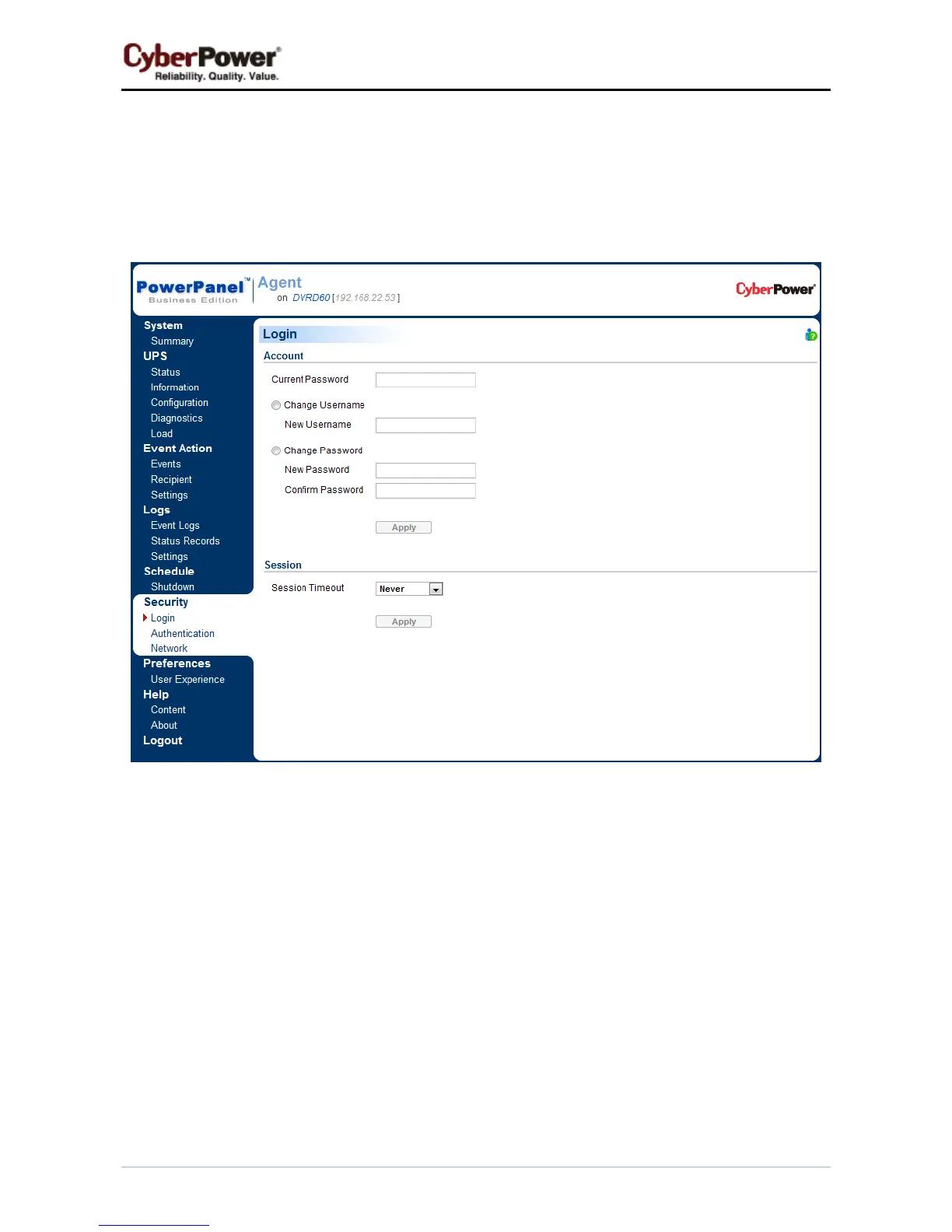
The Security/Login page is used to change the PowerPanel
®
Business Edition login account information,
including user account, password, and the duration of login session.
Security/Login page
Account
Change Username
z Enter the password in the Current Password field.
z Select the Change Username option and enter a new username in the New Username field. Username
must be alphanumeric (0-9, A-Z and a-z).
z Click Apply to complete the change.
Change Password
z
Enter the password in the Current Password field.
z Select the Change Password option and enter a new password in the New Password and Confirm
Password fields.



 To Next Page
 Loading...