~14~
MASTER PANELS connect to any control electronics in the system. Multiple master panels can be connected to one
master terminal in the CC-4000 control panel (video splitter is required in the video version)
The DV-4 DISTRIBUTOR is connected to VL, VH, L +, L- terminals. Connect the distributors in parallel to the
four-wire bus. The L + and L- terminals are terminals of audio uniphones.
MULTI-INPUT SYSTEM consisting of a number of panels greater than one. All control panels in the system for
correct communication must be connected to each other via a parallel COMM bus. five wires in the audio version and
seven wires in the video version.
5. USING THE INTERCOM
5.1. Connection to the property
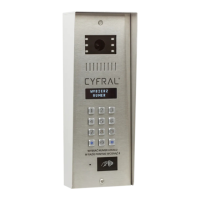
To get a connection to a given property, choose its number by pressing the numbers that make up the property
number and wait. After the delay of approx. 3 seconds from the last press, which will mean the end of the property
number dialing cycle, the system will interpret it as a request to make a call to the selected number.
Each correct digit selection is confirmed by a digit display and a beep from the box loudspeaker. The system clock
counts down the time of approx. 3 seconds after each digit pressing. If the next digit is selected during this time, the
program will create the property number from the next digits.
Attempting to dial a number longer than 4 digits will not change the display status and the selected number will be
treated as correct until the system clock counts down the lapse of time of approx. 3s. If you make a mistake while
entering digits, you can delete the contents of the display by pressing the '#' key and enter the number from the
beginning.
When connected to the property, the intercom generates a call signal, a pre-programmed time, default for 25
seconds. The sound signal consists of acoustic signals with an interval of approx. 1 s during which the system checks
the status of the handset. Picking up the handset in the property will initiate an acoustic connection between the
uniphone and the call panel, limited to about 30 seconds (standard value).
The call and the waiting can be cancelled at any time by pressing the key marked Dialed number will then be
cancelled from the display and the intercom system is prepared to accept a different number.
During the call, the electric strike lock can be activated at any time by pressing the button for activating the strike on
the uniphone or applying the proximity key to the reader. Activation of the additional strike takes place after pressing
the second button of the uniphone.


 To Next Page