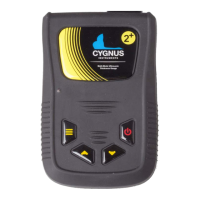
Cygnus 2+ Operating Manual
Place the Probe on the sample
and verify the gauge can get a
thickness value.
Press the Up Select key to get to
the Calibrate Single Point item
Press the Menu key to start
While holding the probe firmly
on the sample, and while a
steady thickness measurement
...use the Up and Down Select
keys to adjust the thickness to
When done press the Menu key
to save the calibration.
Or press the Power / Cancel to
exit without saving the
calibration.


 To Next Page