95
Cypress Confidential
Calibrating the WPT – Step 3
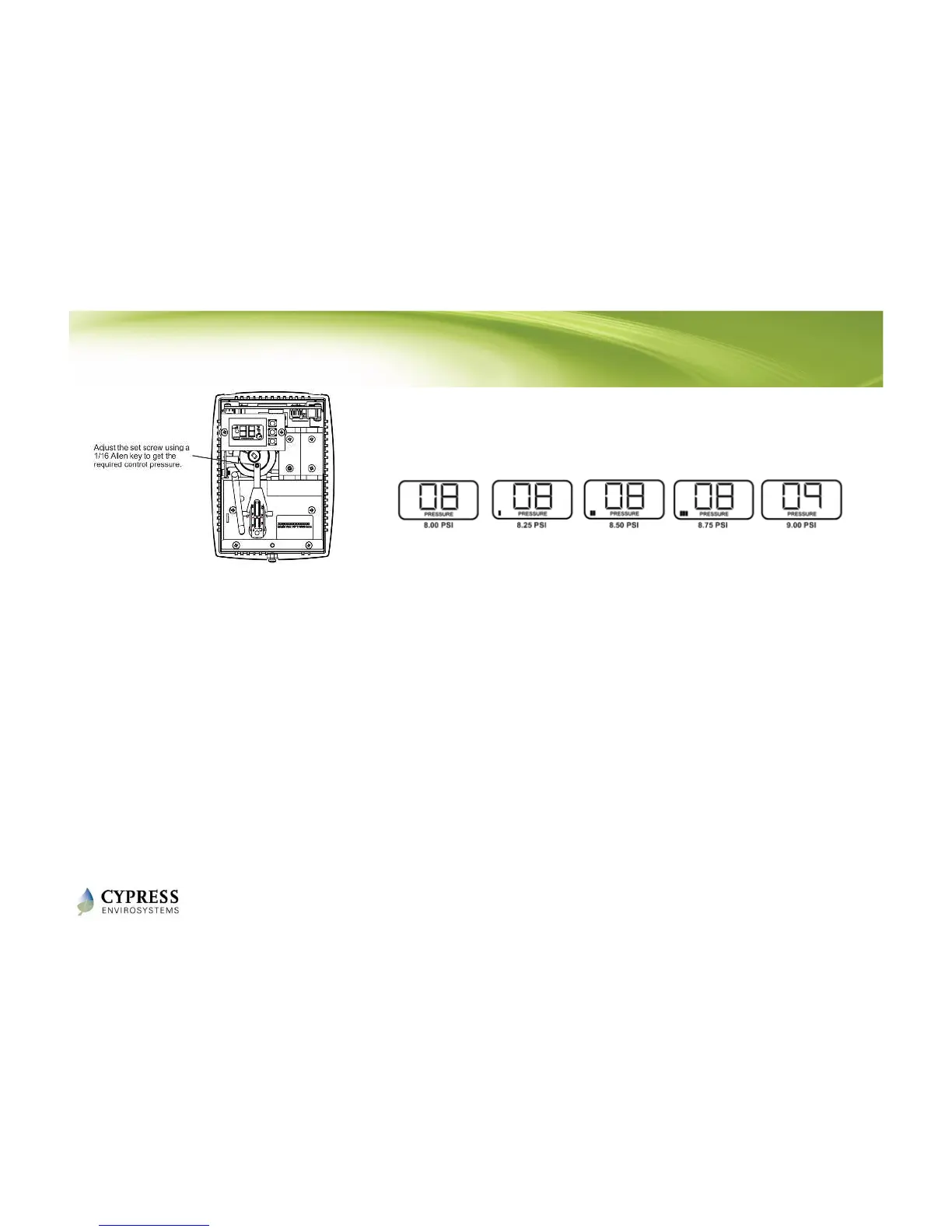
1. Use a 1/16” Allen wrench and very carefully turn the calibration set screw on the thermostat
lever, until the branch pressure is equal to the desired control point. Use extreme caution not
to allow the lever to rotate sideways while adjusting the setscrew.
2. Each battery segment on the LCD represents 0.25 PSI resolution, as shown above.
3. When the desired control pressure is achieved, press the OVR button to exit and save the
value.
- A confirmation screen will appear and flash the stored control pressure for 3 seconds.
Repeat the calibration procedure if this value does not match the desired control
pressure.
4. Replace the WPT front cover.
NOTE: The WPT will automatically exit Calibration Mode if the center button is not pressed after 3 minutes. The
control pressure will NOT be saved and the WPT will return to the home screen.
Reference: WPT Installation Manual - Section 2.3



 To Next Page