Cyrus Power Amplifier INSTALLATION
9
English
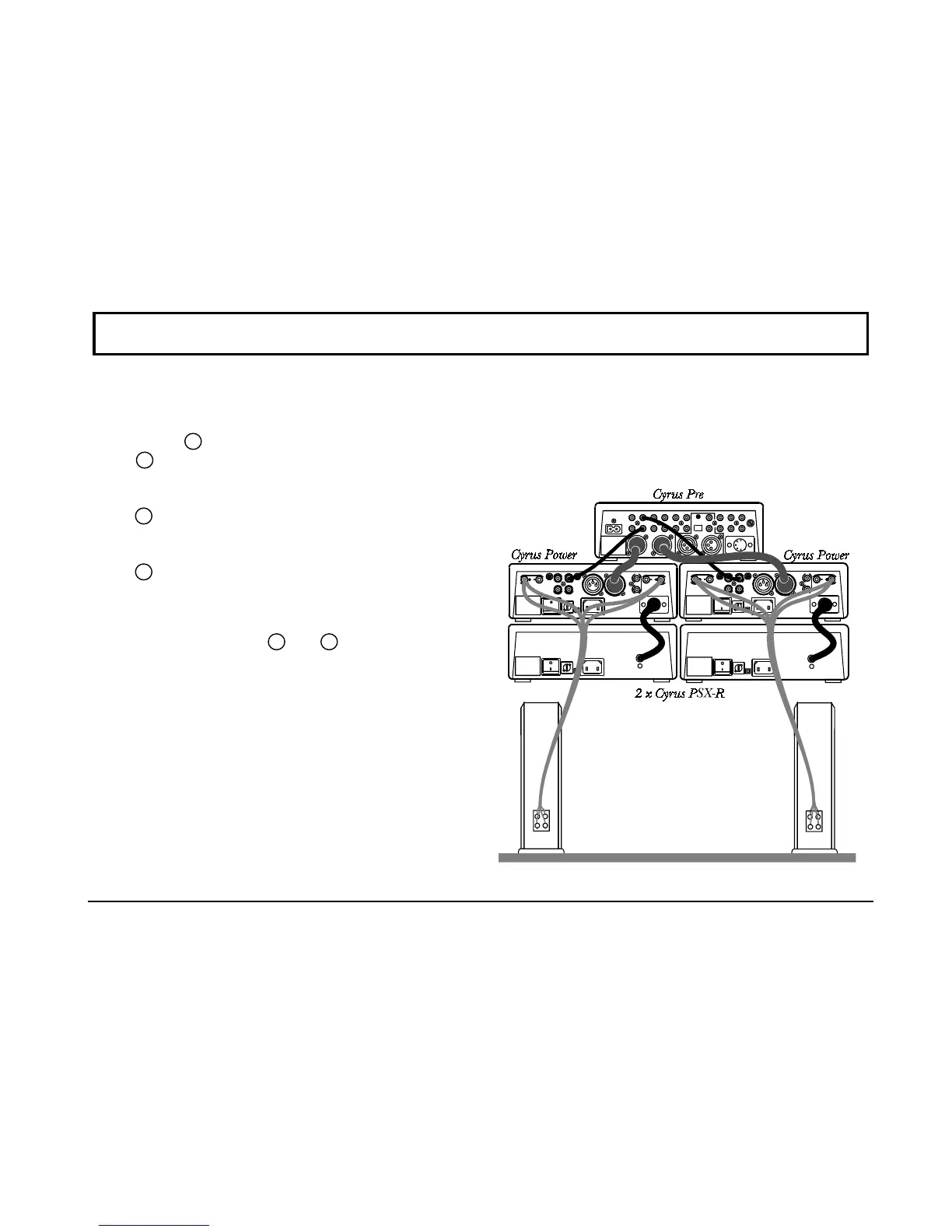
Input Connection to Mbloc
Cyrus Powers
using
Balanced XLR cables
Set the STEREO/MBLOC selector switch of the left
Cyrus Power
3
to MBLOC and set the input selector
switch
6
to BAL. Connect a Balanced XLR interconnect
from the left Balanced output of the preamplifier to the
MBLOC Balanced input of the left channel Cyrus
Power
7
. Repeat this sequence to set the switches and
connect the right channel output from the preamplifier to
the MBLOC Balanced input of the right channel Cyrus
Power
7
.
Loudspeaker connection for Mbloc operation
Connect the left loudspeaker to the left Cyrus Power using
only the
red
panel sockets
1
and
10
. First, fit the plugs
to the loudspeaker cables. Carefully note that the cable
carries marking or colours for polarity (+ and -) and may
also be marked for direction with an arrow. For correct
operation, it is essential that the (+MBLOC and -
MBLOC) terminals of the amplifier are connected to the
corresponding (+ and -) terminals of the loudspeakers.
When fitting the plugs to the cables be sure to line up (+
and -) at each end using the red plug for the '+' and the
black plug for the '-'. The loudspeaker plugs can now be
plugged into the amplifier sockets. Repeat for the right
channel Cyrus Power.
Rear view of a typical Cyrus Pre &
Cyrus Power mbloc system.
Connect either the RCA phono
(black) or XLR balanced input
connections (dark grey), but never
both together. Bi-wired loudspeaker
connections are also shown (light
grey).



 To Next Page