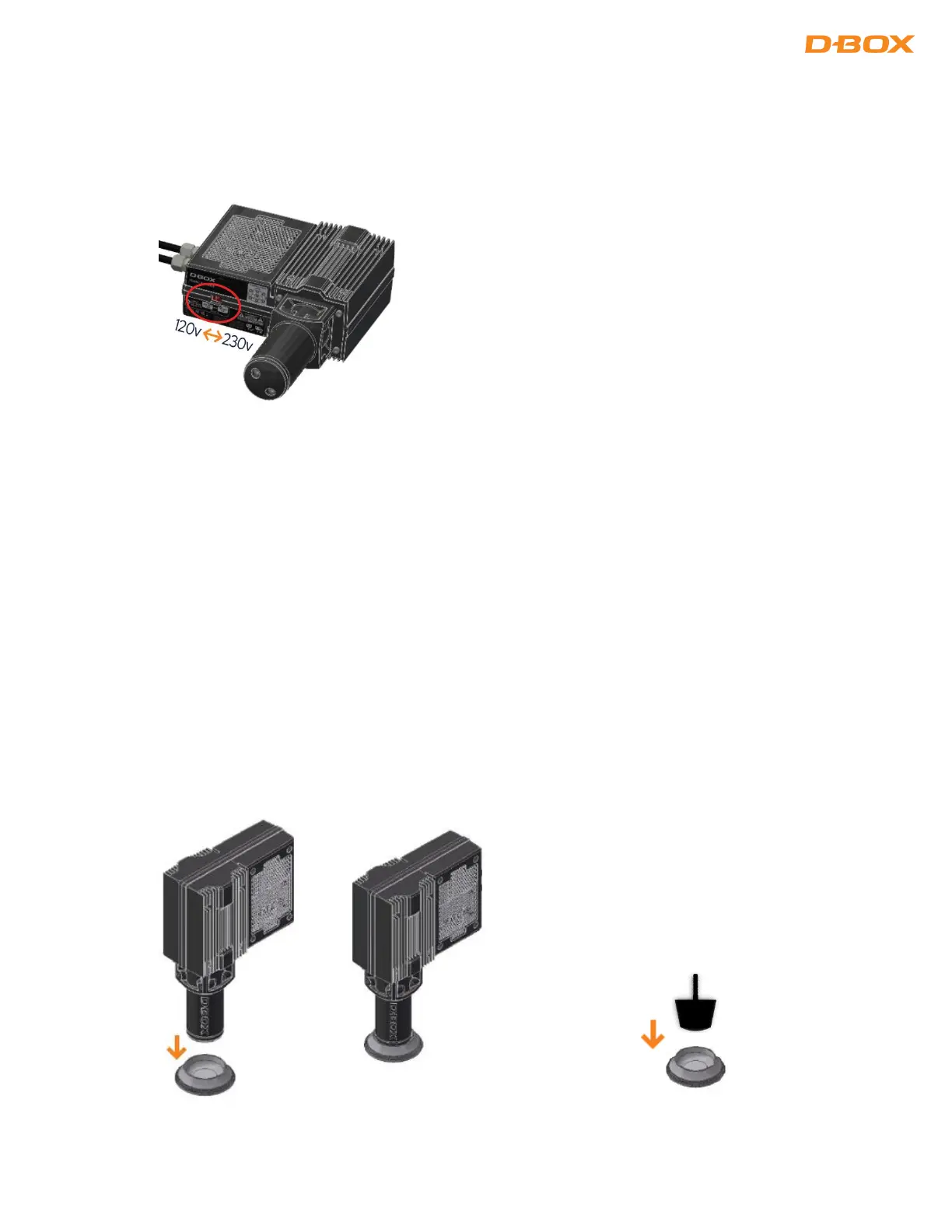
3. VOLTAGE SELECTION
Set all haptic actuators to meet your region power voltage by using the switch selector located underneath the
casing:
NOTE: The Haptic Bridge has a universal power supply supplied by D-BOX
4. ACTUATOR ENDING INSTALLATION
G5 haptic actuators come native with a non captive ending.
Captive endings are required when you want to bind the actuators to the floor or a sub frame.
4.1 Non Captive Ending Installation
Once the actuators are installed on your platform, simply drop the actuators and pivot (for 2-actuators
configuration) into the provided metal cups. Actuators and pivot must be centered into their respective cup:


 To Next Page