6. CONNECT YOUR HAPTIC SYSTEM
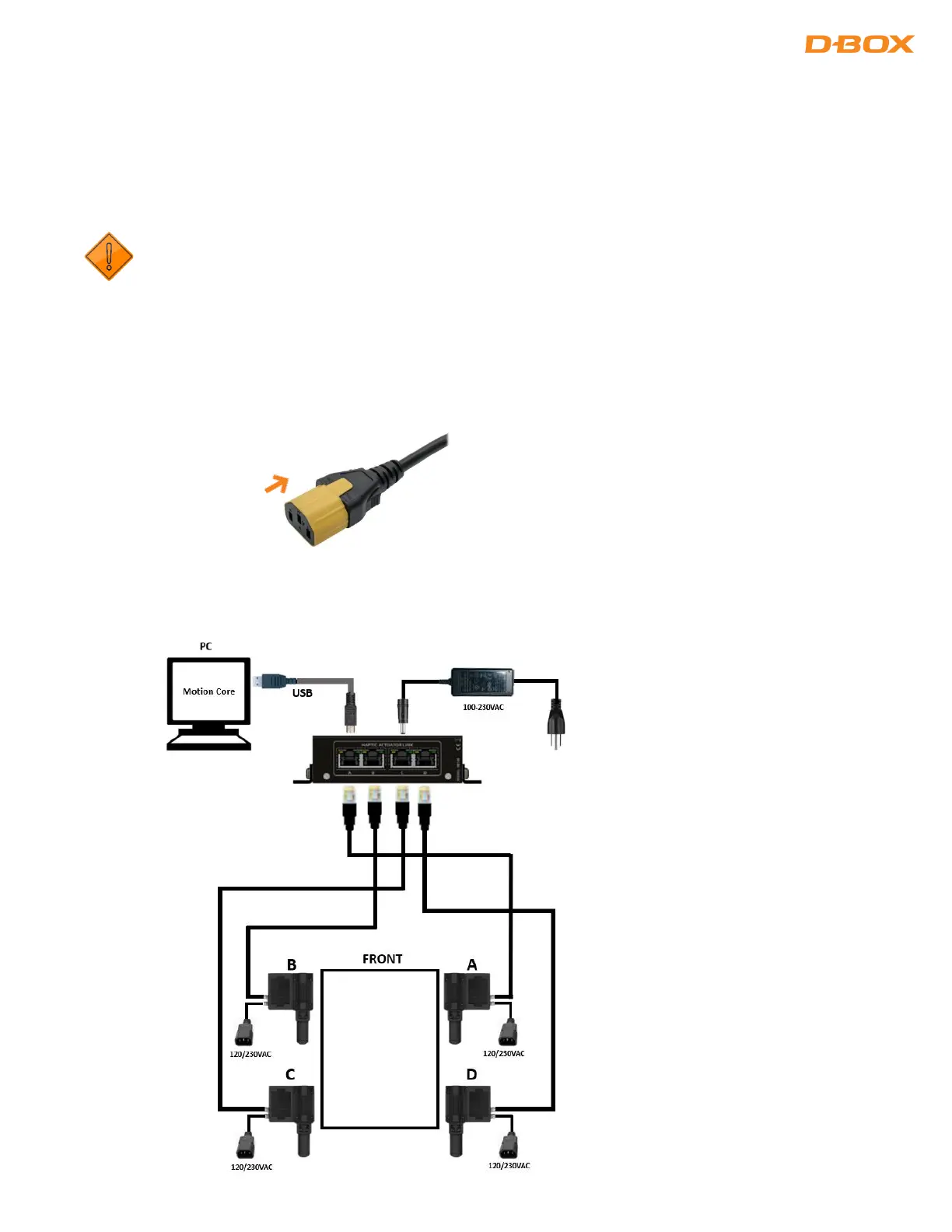
This section shows the wiring diagrams for all configurations from one (1) to four (4) haptic actuators.
Haptic actuators must be connected in a specific order to ensure a proper system operation. Make sure to choose
the appropriate diagram corresponding to your setup.
The Haptic Bridge must be connected directly into your computer (USB port). Using an external USB hub
may create motion interruption and/or system error.
6.1 IEC Plug Lock Insert Installation (Optional)
Although they are optional, we strongly suggest installing the IEC plug lock inserts preventing power cables
being disconnected. Slide the insert to the IEC female connector as follow:
6.2 4-Actuator Configuration


 To Next Page