10.7 Troubleshooting Software Issues (Game Center)
This section covers a step-by-step approach to help you fix issues related to the host software (game) or
haptic code.
STEP 1: Make sure you are using the latest version of Motion Core (see section 10.3).
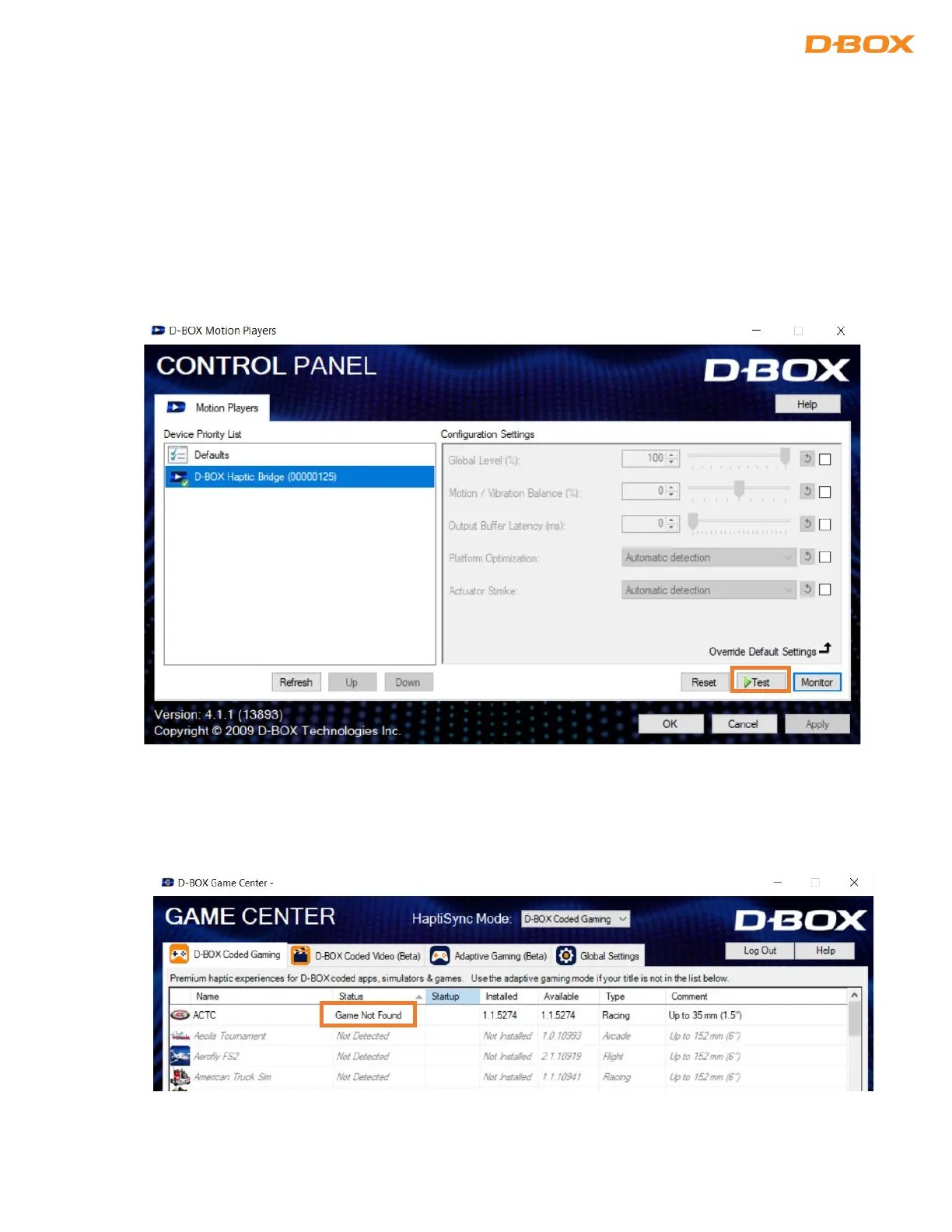
STEP 2: Proceed with a motion & communication test using the D-BOX Control Panel application. Select your
D-BOX Haptic Bridge device (on the left) then press the ‘’Test’’ button:
STEP 3: If you are using a game (not your own simulation software), open D-BOX Game Center and make
sure the game is well installed. If the game is not found (as shown below), the default path used by the
Game Center does not match the one on your computer:


 To Next Page