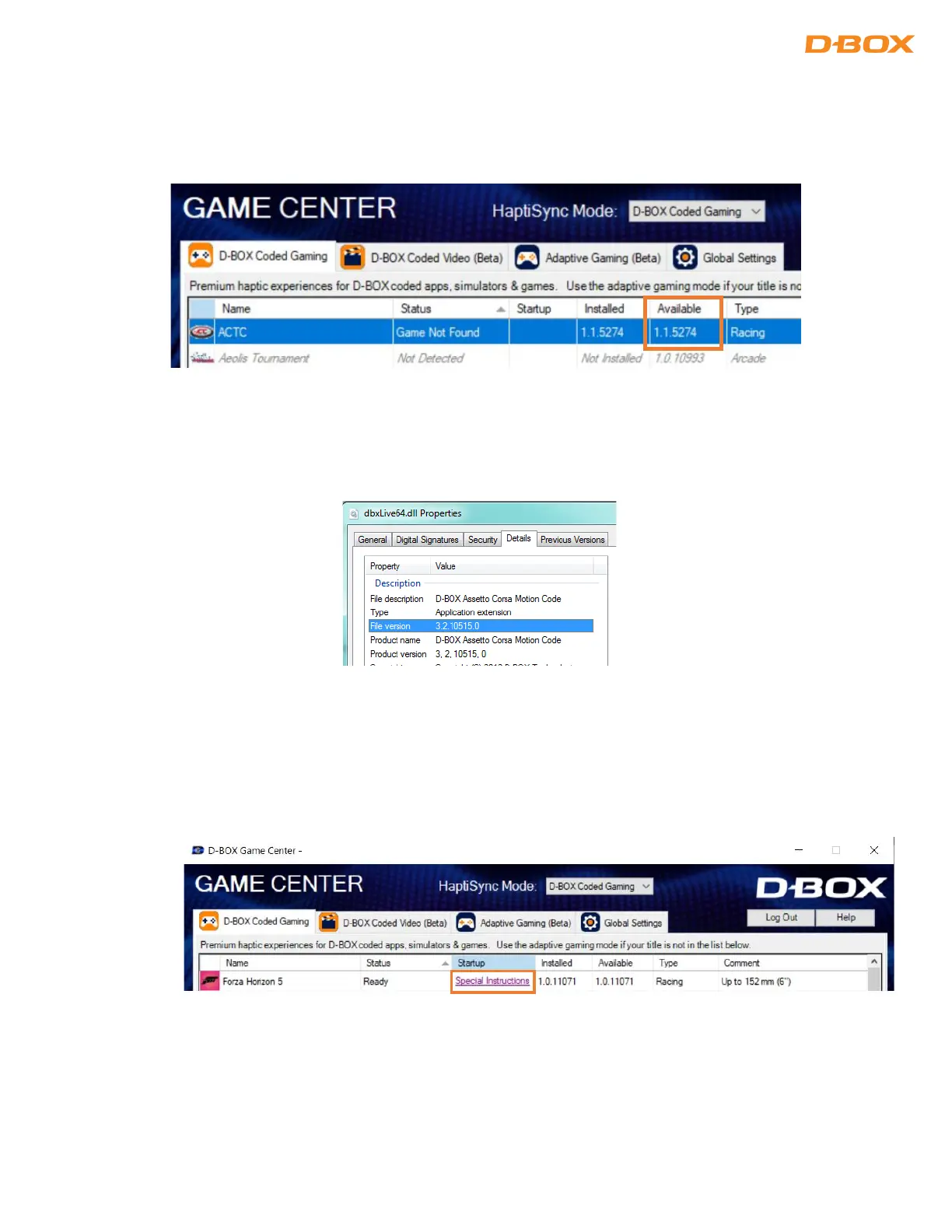
STEP 4: Reinstall the haptic code or update to the latest version.
If the game is present in the Game Center, you can check the version of the motion code directly from
there:
If the game is not on the Game Center, you can check the version here: Go to C:\ProgramData\D-
BOX\Gaming\LiveMotion\[GAME NAME]\dbxlive32-64.dll. Right click on properties/Details:
STEP 5: Make sure to launch the game from the Game Center. Select the game then click the Launch button
at the bottom.
NOTE: Some games may need to be launched in a specific way. Click on the Special Instructions link
for detailed instructions:


 To Next Page