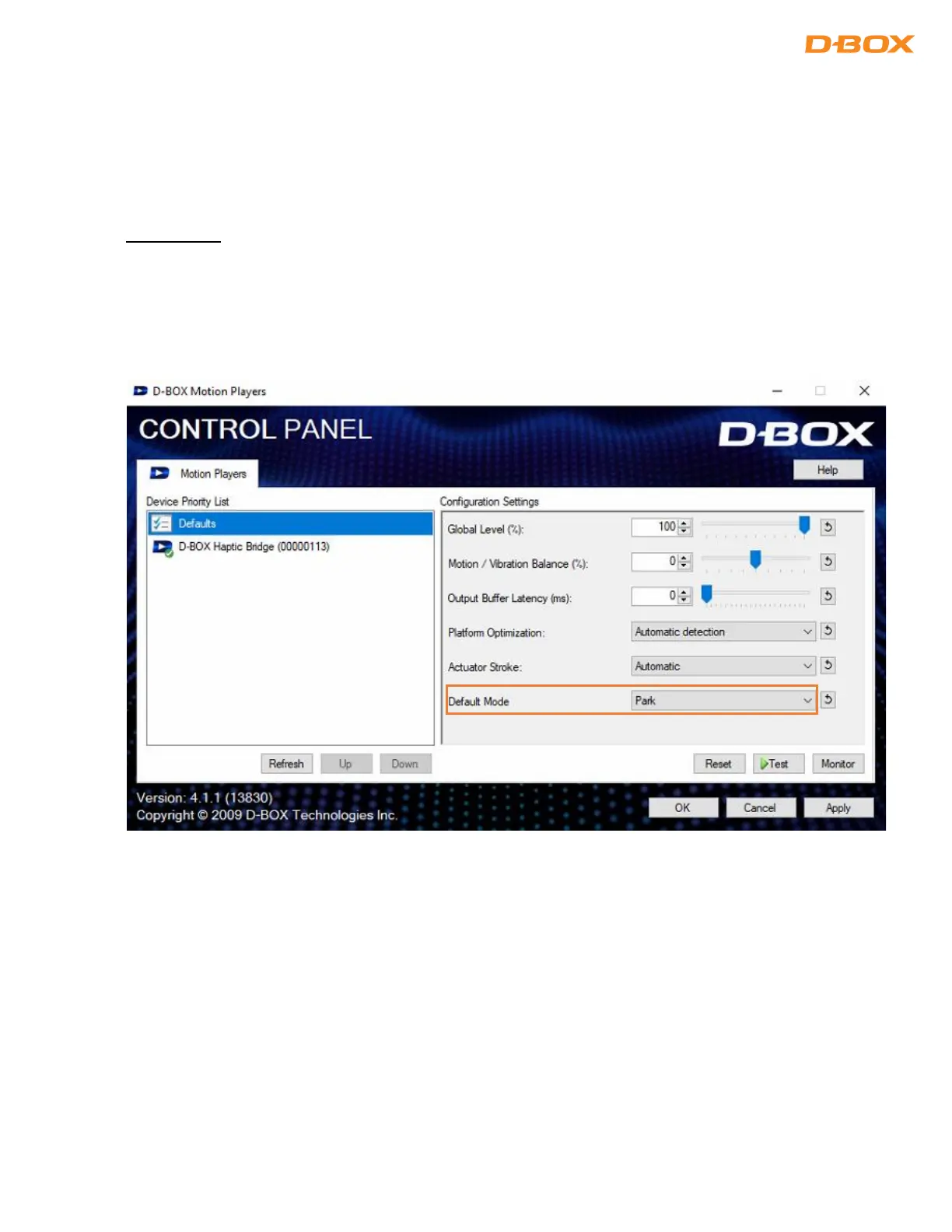
8.1.1 D-BOX Control Panel
The D-BOX Control Panel allows you to configure system parameters such as the global intensity level,
Motion /Vibration Balance, and latency. There is also a test button to verify that your system is working
properly.
Default Mode:
Park: Haptic actuators will go to its lower position when there are no haptic activities (minimum electrical
consumption).
Hold Center: Haptic actuators will stay in the middle position when there are no haptic activities.


 To Next Page