5. BRACKETS INSTALLATION
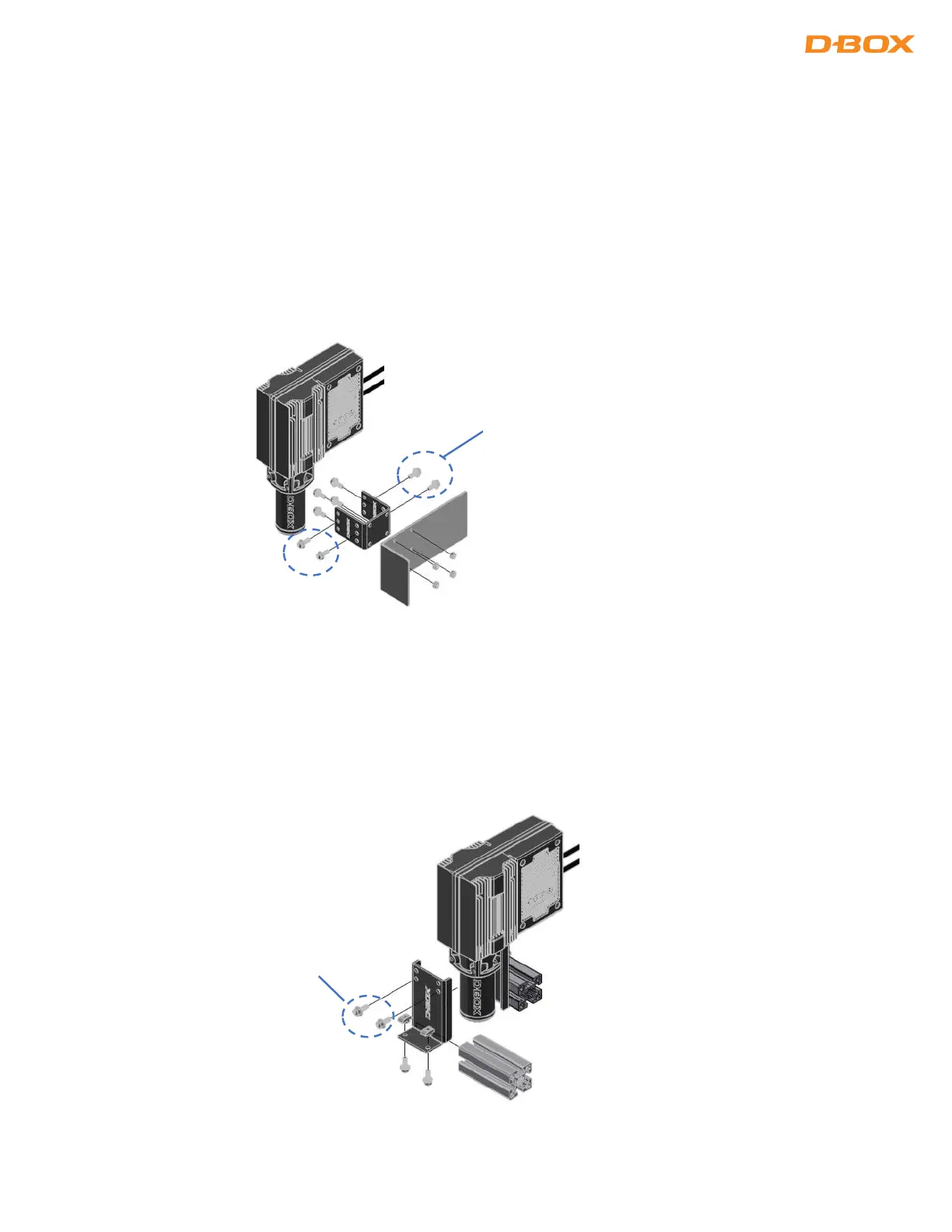
D-BOX offers two (2) types of brackets: ‘’L’’ and ‘’U’’ shaped. The screws to attach your haptic actuator to
the bracket are included with your haptic actuator however, you need to provide the screws to mount the
brackets to your platform.
5.1 ‘’U’’ Brackets Installation
Install the ‘’U’’ bracket first on your platform then attach the haptic actuators to the brackets using the
provided screws:
NOTE: Screws to attach the bracket to your platform are not included.
5.1 ‘’L’’ Brackets Installation
Install the ‘’L’’ bracket first on your haptic actuators using the provided screws then attach the assembly to
your platform:
NOTE: Screws to attach the bracket to your platform are not included.


 To Next Page