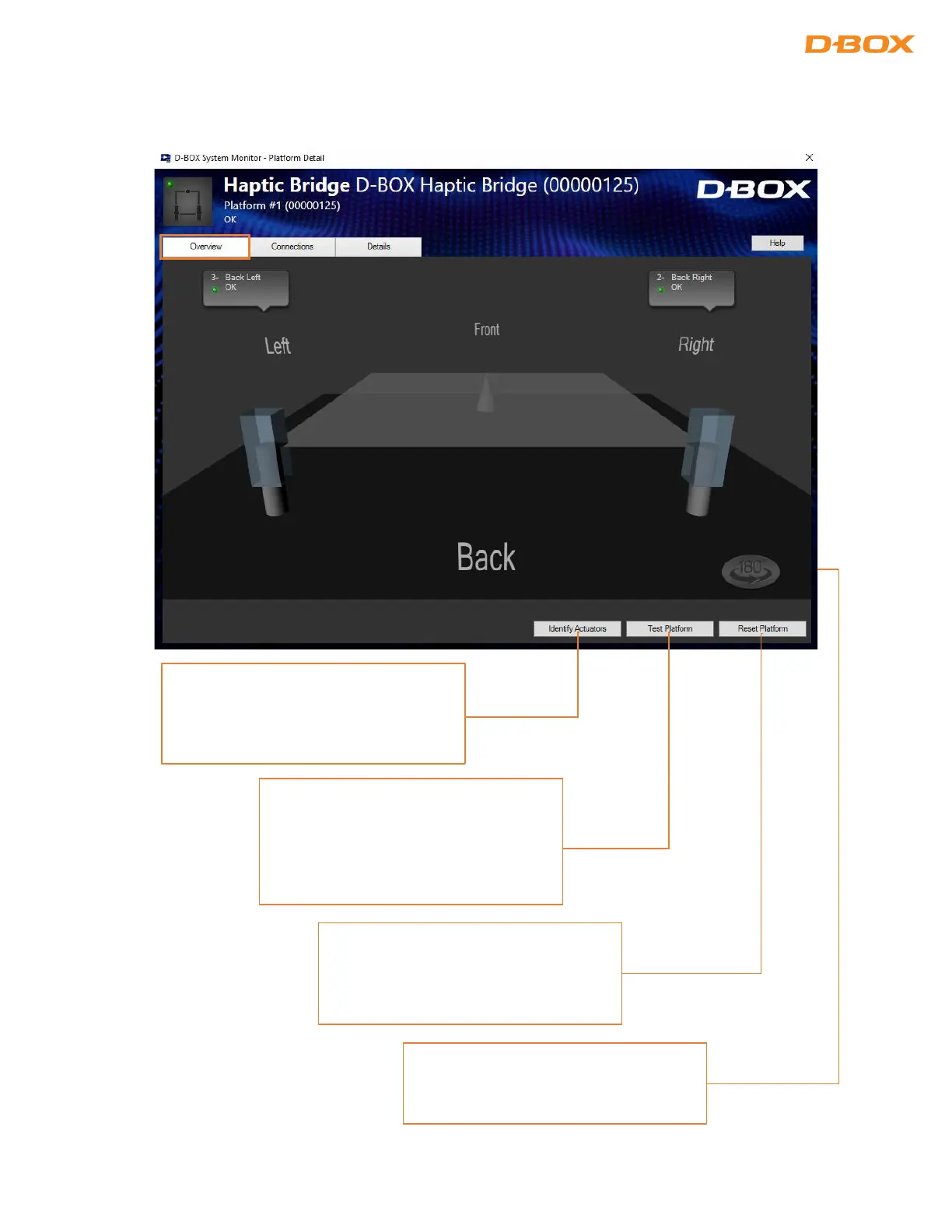
Overview Tab: The Overview tab displays a live overall 3D view of your D-BOX haptic platform and its current
state. Haptic actuators in a pending or alarm state are displayed as yellow or red:
The Identify Actuators button is used to
start an interactive test to validate that
all actuators are located as expected on
The Test Platform button is used to start
a motion test on the selected platform.
If your D-BOX Motion Player is
connected to multiple platforms, all of
them will receive the motion test.
The Reset Platform button is used to
reset the D-BOX Motion Platforms
connected to the currently selected D-
The Rotate 180 degrees button is used
to change the orientation of the 3D view


 To Next Page