13D-Link DAP-1610 User Manual
Section 2 - Installation
Assessing Uplink Signal Strength
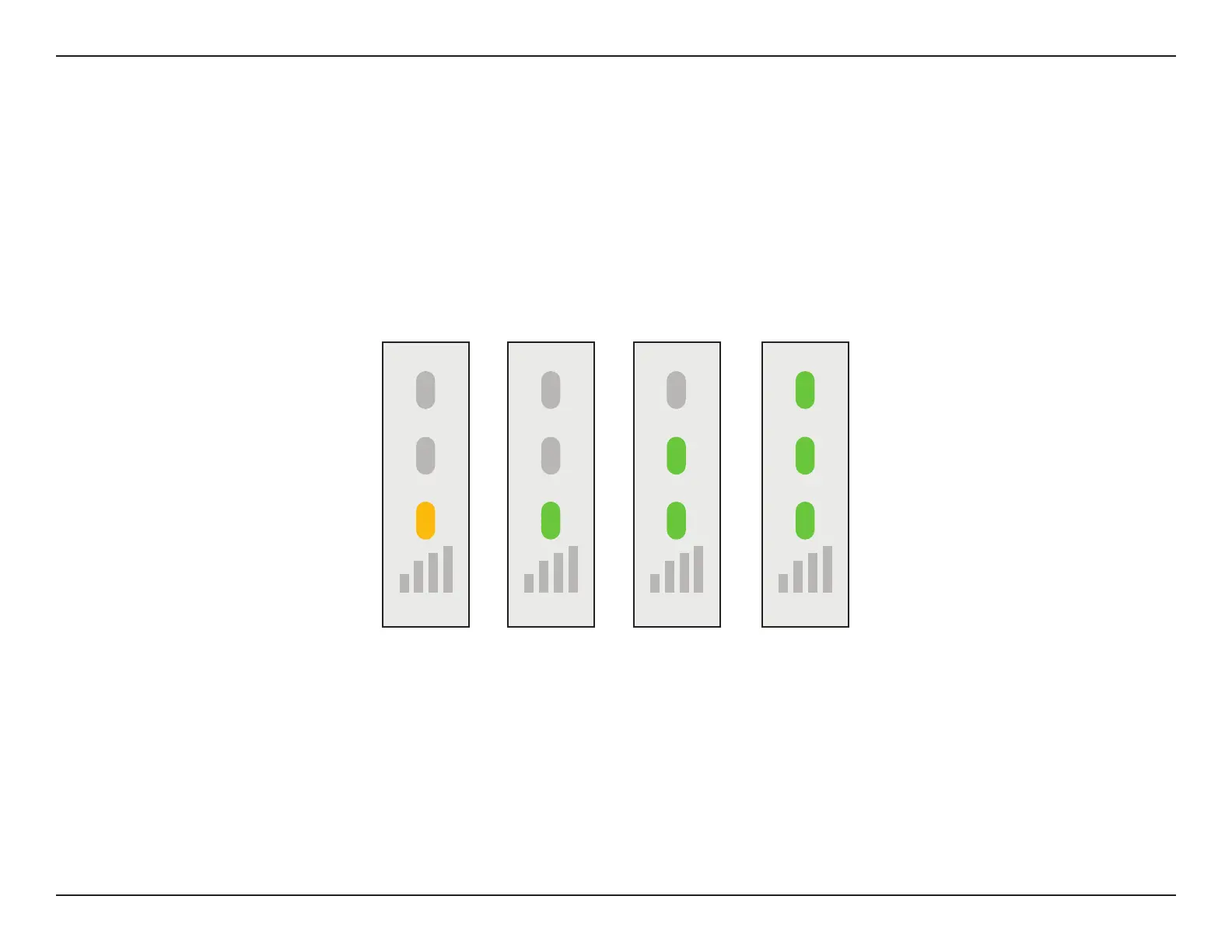
Poor Ok Good Best
The Status/WPS LED will turn solid green when the DAP-1610 has connected successfully to a wireless network and is extending
that network. If the Smart Signal LED has a single orange bar after the connection process has nished, the DAP-1610 has
established a poor quality connection. The more lit bars on the Signal Indicator LED, the better the wireless signal. To improve the
connection quality, the DAP-1610 should be relocated closer to the source wireless router. Using the 5 GHz extension network
is recommended in order to achieve the fastest wireless speeds. If the extender has been congured as an Access Point and is
connected via Ethernet cable to an uplink network, the Smart Signal LED will not be lit.









 To Next Page