37D-Link DAP-1610 User Manual
Section 3 - Conguration
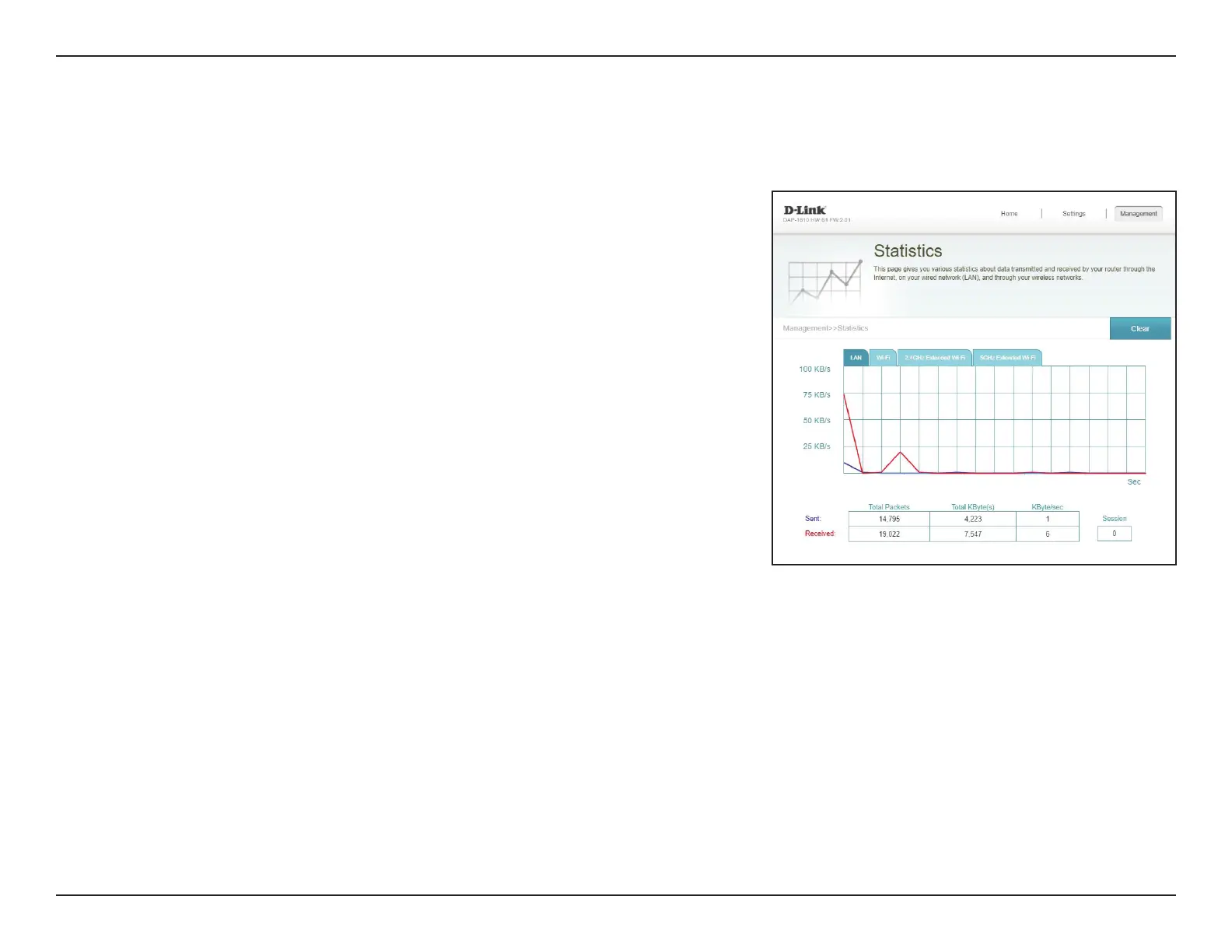
This page displays details about your wireless and network connections. To access this page, click the Management drop-down
menu at the top of the page, and select Statistics. Click Clear to reset the statistics.
Statistics
On the Statistics page you can view the amount of packets that pass through
the extender LAN, Wi-Fi, 2.4 GHz Extended Wi-Fi and 5 GHz Extended Wi-Fi
segments.
You can view the LAN, Wi-Fi, 2.4 GHz Extended Wi-Fi, or 5 GHz Extended Wi-Fi
by clicking on the respective tabs at the top. The graph will update in real time. To
clear the information on the graph, click Clear.
The trac counter will reset if the device is rebooted.









 To Next Page