23D-Link DAP-1610 User Manual
Section 3 - Conguration
Access Point Mode Settings
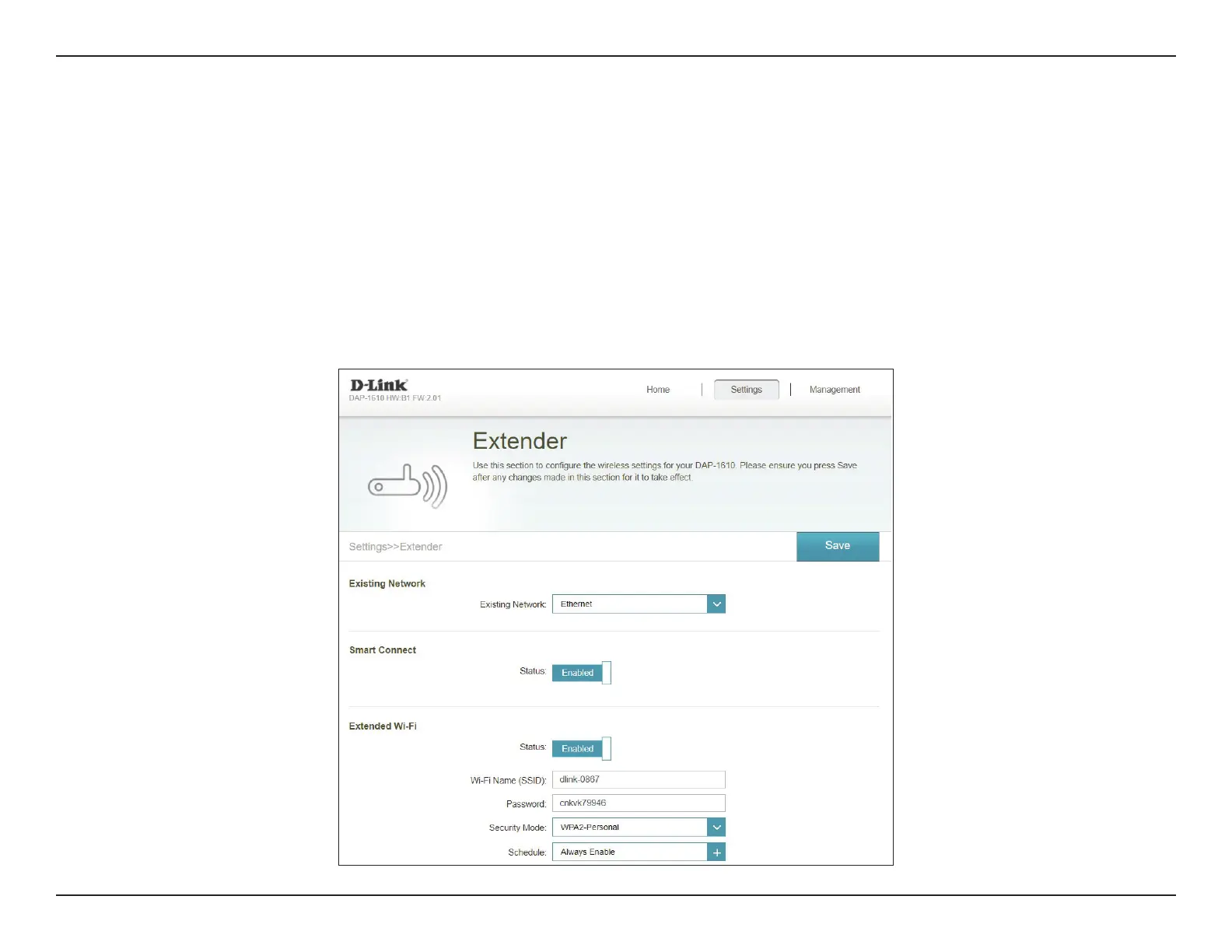
This page lets you congure the settings to use the DAP-1610 as an access point. Connect an Ethernet cable from a LAN port in your
router to the LAN port at the bottom of the DAP-1610.
To access this page, click the Settings drop-down menu at the top of the page, and select Extender. Under Existing Network,
choose Ethernet to utilize the DAP-1610 as an access point. Click Save to apply the settings and return to the home page.
Refer to “Extender Settings” on page 28 for more information regarding conguration options.









 To Next Page