24D-Link DAP-1610 User Manual
Section 3 - Conguration
Conguration
Home
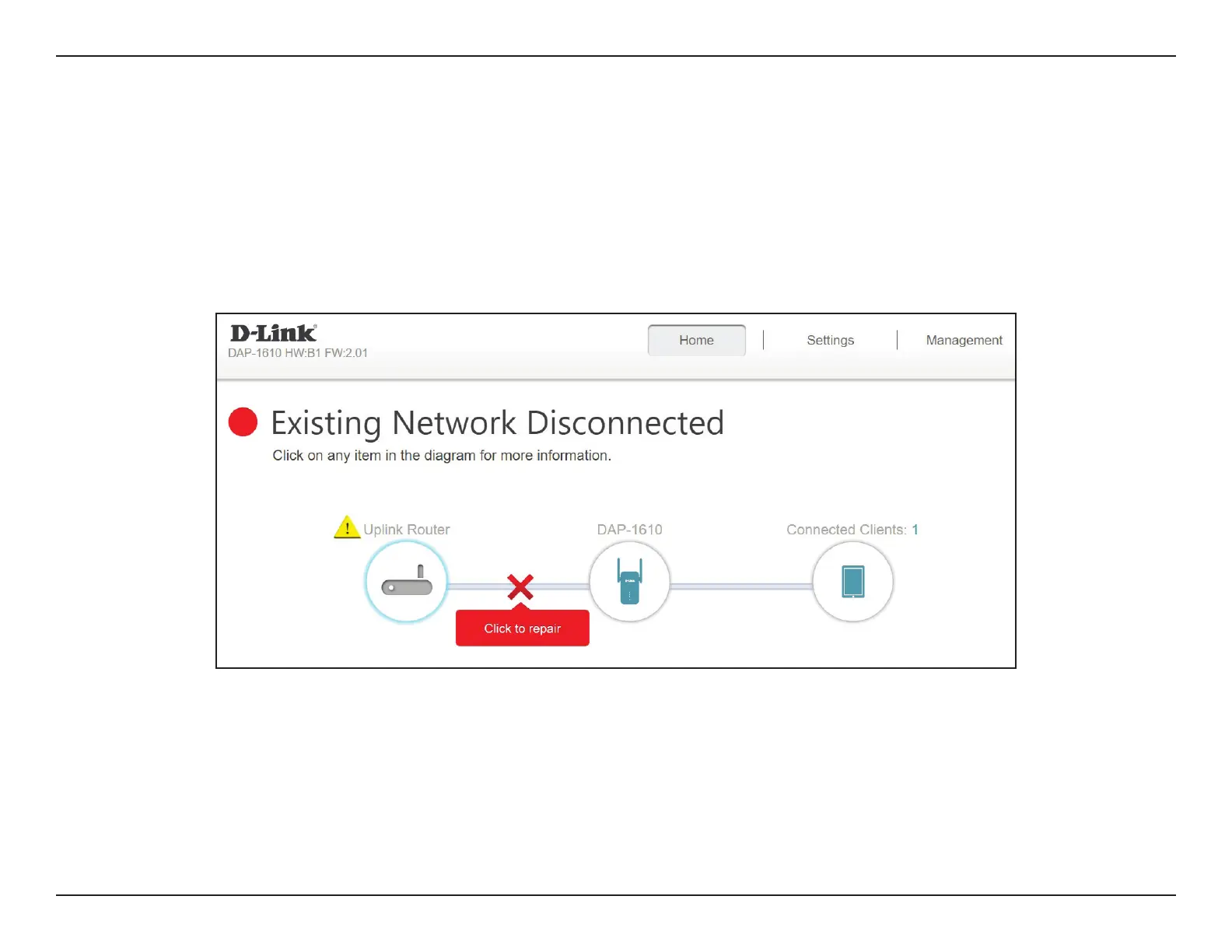
The home screen gives a summary of the current status of devices connected to the DAP-1610. A green check between the device
and the uplink router indicates that there is an active connection. A red cross indicates that there is no connection present, or there
is a connection error. If there’s no active uplink connection, click on the Click to Repair button to start the setup wizard.
Uplink Router This icon shows the status of the Internet connection to the uplink router. It is grey if the DAP-1610 is not connected
to an uplink router. Once connected, click on it to see its connection details.
DAP-1610 Click on this icon to see details of the uplink network the DAP-1610 is connected to or connect to another uplink router.
Connected Clients Click on the Connected Clients icon to see client details.









 To Next Page