35D-Link DAP-1610 User Manual
Section 3 - Conguration
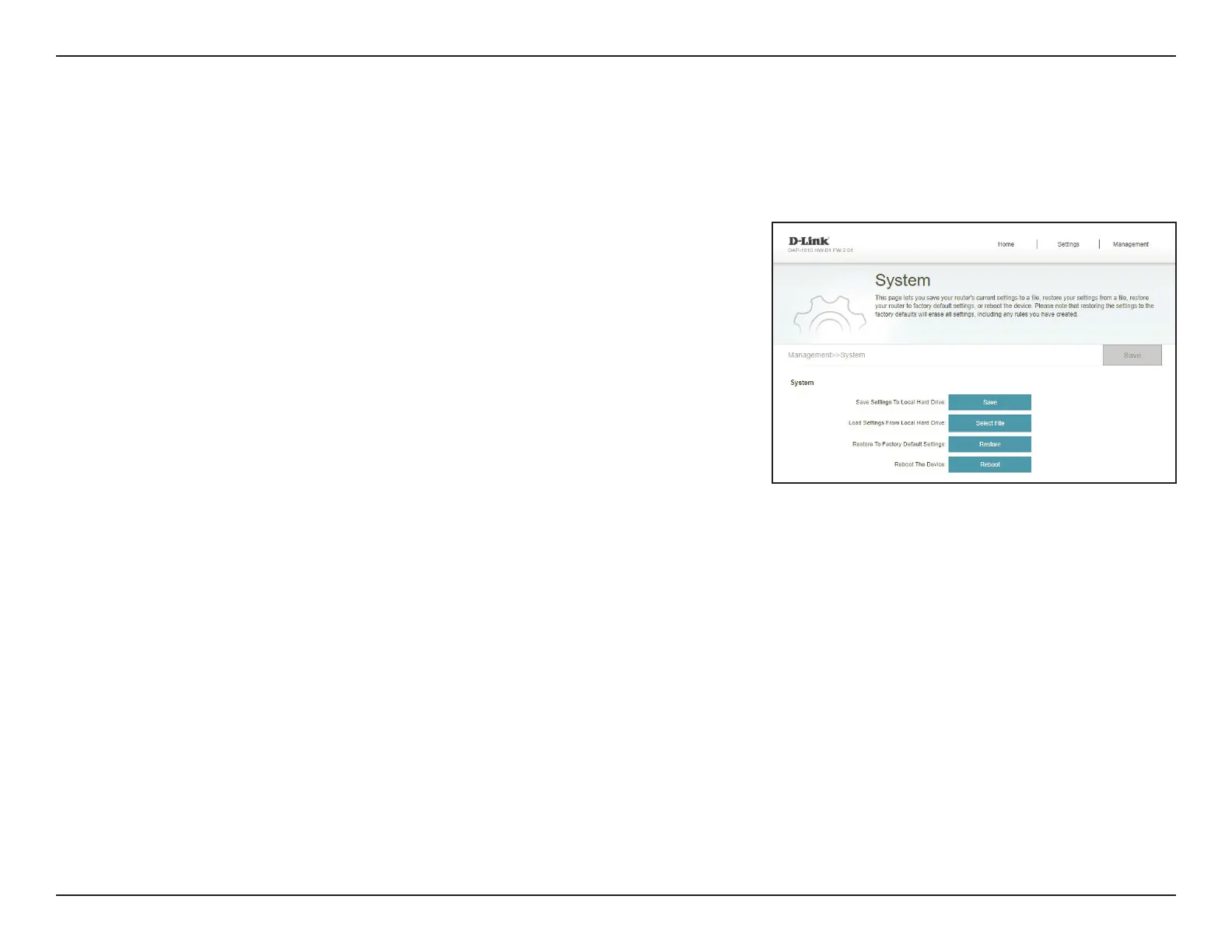
System
This page allows you to save or restore your system conguration, reset, or reboot the DAP-1610. To access this page, click the
Management drop down menu at the top of the page, and select System.
Save Settings To Local
Hard Drive
Save the system settings onto a le to the local hard drive.
Load Settings From
Local Hard Drive
Load the system settings from a previously saved le on the
local hard drive. Click the Restore button that appears after
loading the system settings le to load the settings.
Restore to Factory
Default Settings
Restore the system settings to factory default settings. This
will erase all currently stored settings.
Reboot the Device Click Reboot to reboot the DAP-1610.









 To Next Page