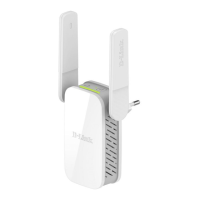
iiD-Link DAP-1530 User Manual
Table of Contents
Preface ................................................................................. i
Product Overview ..............................................................1
Package Contents .........................................................................1
System Requirements ................................................................. 2
Introduction ................................................................................... 3
Features ....................................................................................3
What is a Wireless Extender? ............................................ 4
Hardware Overview .....................................................................5
Front .......................................................................................... 5
Status/WPS LED Indicator ..................................................6
Bottom ......................................................................................7
Back............................................................................................8
Installation ......................................................................... 9
Wireless Installation Considerations ...................................... 9
Hardware Setup ..........................................................................10
Getting Started ................................................................11
WPS-PBC Conguration ...........................................................12
Assessing Uplink Signal Strength .........................................13
D-Link Wi-Fi App .........................................................................14
Wireless Setup Wizard ...............................................................16
Access Point Mode Settings ....................................................23
Conguration ...................................................................24
Home ..............................................................................................24
Home - Connected to a Wi-Fi Mesh Router .......................27
Settings ..........................................................................................28
Extender Settings ...............................................................28
Existing Network ............................................................29
Smart Connect ................................................................30
Network Settings ................................................................32
Management ................................................................................ 34
Time .........................................................................................34
Schedule ................................................................................35
Admin .....................................................................................36
System ....................................................................................37
Upgrade .................................................................................38
Statistics .................................................................................39
Wi-Fi Mesh Setup .............................................................40
Setup Using the D-Link Wi-Fi App ........................................41
Setup Using an Ethernet Cable .............................................42
Connecting Wireless Clients to the Extender ................43
WPS Button ...................................................................................43
Windows® 10 ................................................................................44
Windows® 8 - WPA/WPA2 ......................................................... 45
Troubleshooting ..............................................................47
Wireless Basics .................................................................49
Tips ...................................................................................................50
Technical Specications ..................................................51
GPL Code Statement........................................................52
Regulatory Statements ...................................................67
Table of Contents



 To Next Page