25D-Link DAP-1720 User Manual
Section 3 - Conguration
Add Wireless to an Existing Wired Network
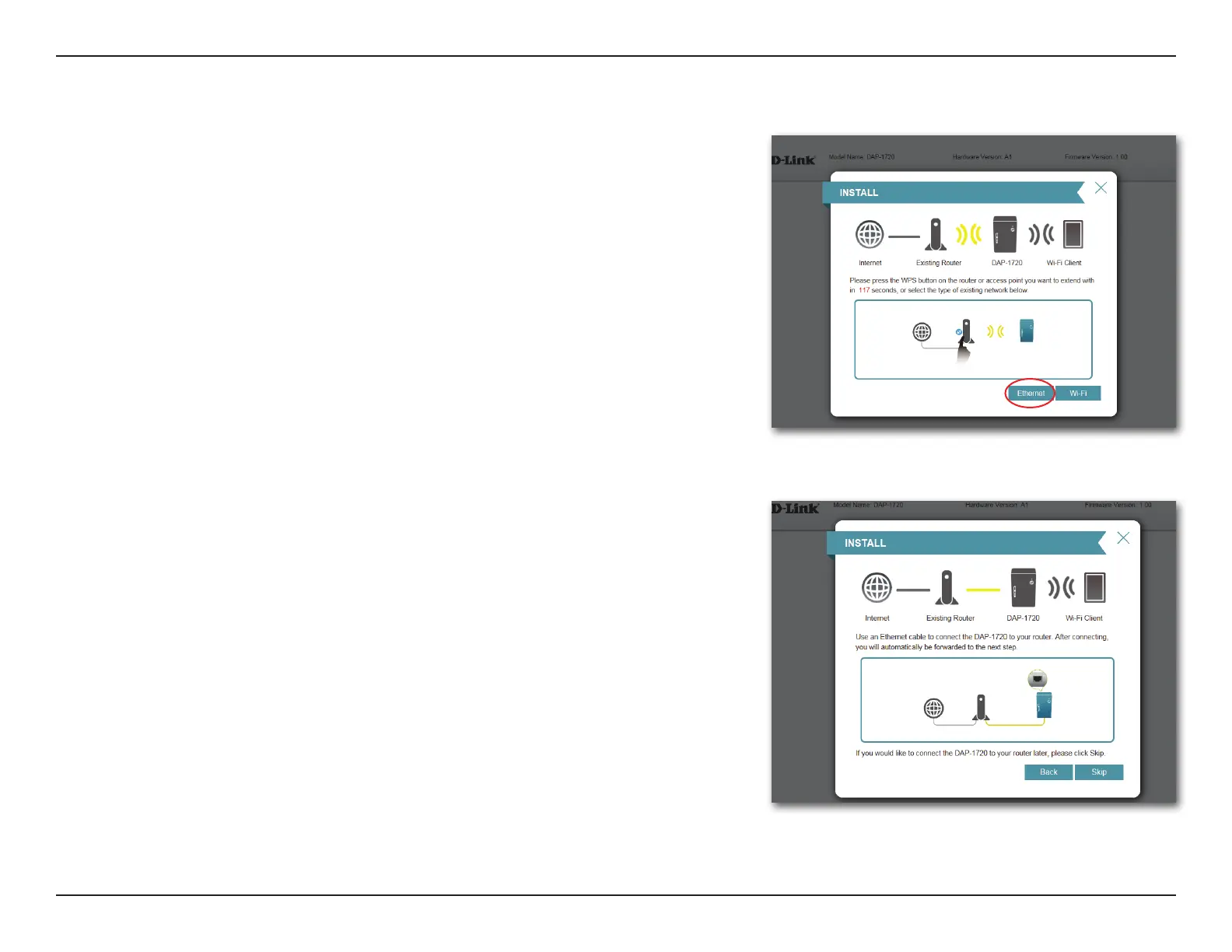
This portion of the setup wizard will guide you through adding a wireless
network to an existing wired network. Click Ethernet to proceed.
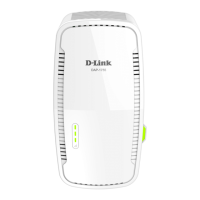
Connect an Ethernet cable to your DAP-1720 to be automatically be forwarded
to the next step. To proceed with the installation without connecting an Ethernet
cable, click Skip.



 To Next Page