16
Find a ServiceFind a Service
Find a ServiceFind a Service
Find a Service
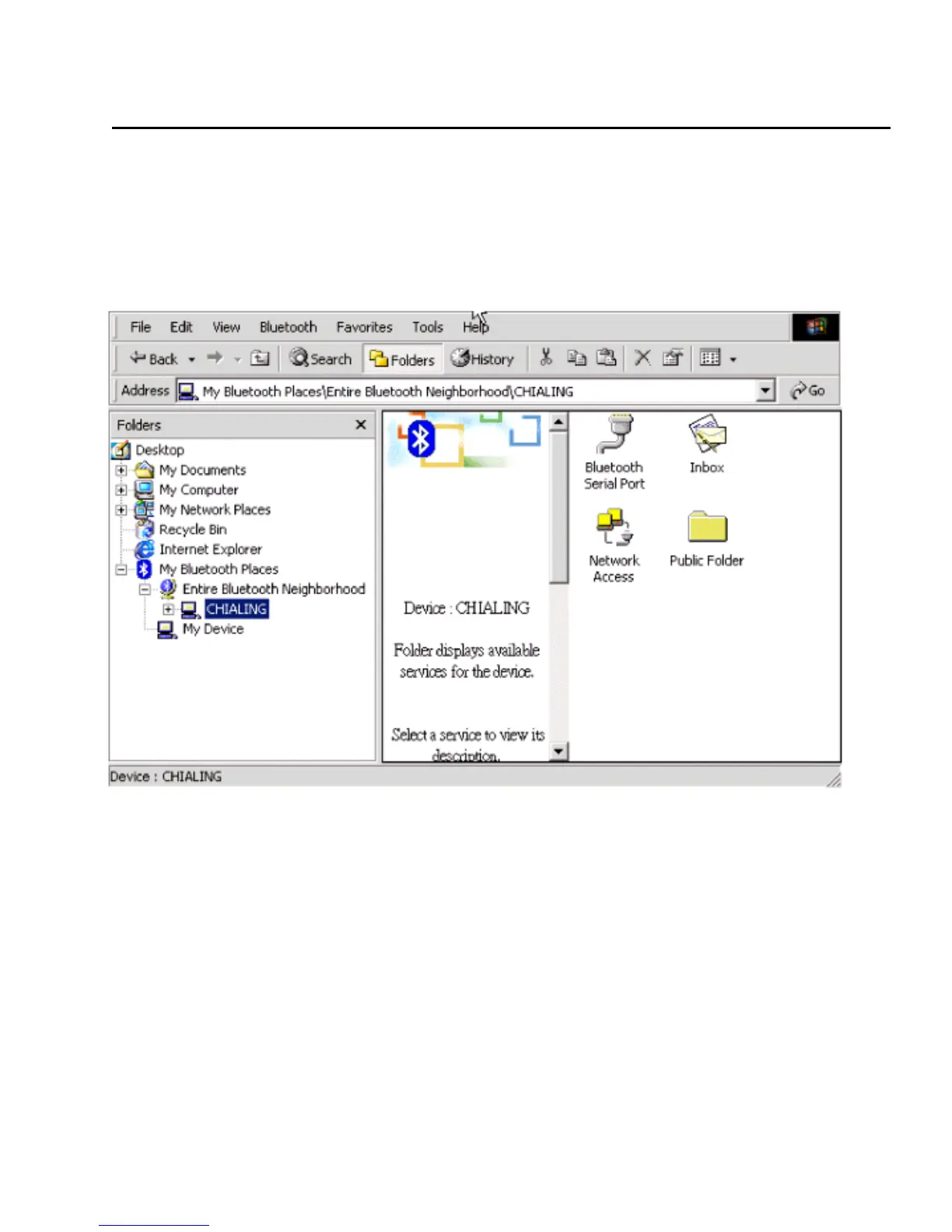
In the Folders panel of My Bluetooth Explorer, right-click on the device name and
select Discover Available Services from the pop-up menu. The services the device
provides will show up in the right panel.
In the Folders panel of My Bluetooth Explorer, right-click on the device name and
select Discover Available Services from the pop-up menu. The services the
device provides will show up in the right panel.
Bluetooth Software Explorer – Available Services
The services supported by Bluetooth software are:
• Bluetooth Serial Port - establishes a Bluetooth wireless connection between
two devices. The connection may be used by applications as though a physical
serial cable connected the devices.
• Dial-up Networking - allows a Bluetooth client to use a modem that is
physically attached to the Bluetooth server.
• Fax - allows a Bluetooth client to wirelessly send a fax using a device that is
physically attached to the Bluetooth server.
• File Transfer - establishes a Bluetooth wireless connection that allows your
computer to perform file system operations on another Bluetooth-enabled
device—browse, drag/drop, open, print, cut/copy, paste, delete, rename, etc.
• Information Exchange - establishes a Bluetooth wireless connection between
two devices so that they can exchange personal information manager (PIM) data
such as business cards, calendar items, email messages, and notes.



 To Next Page