-15-
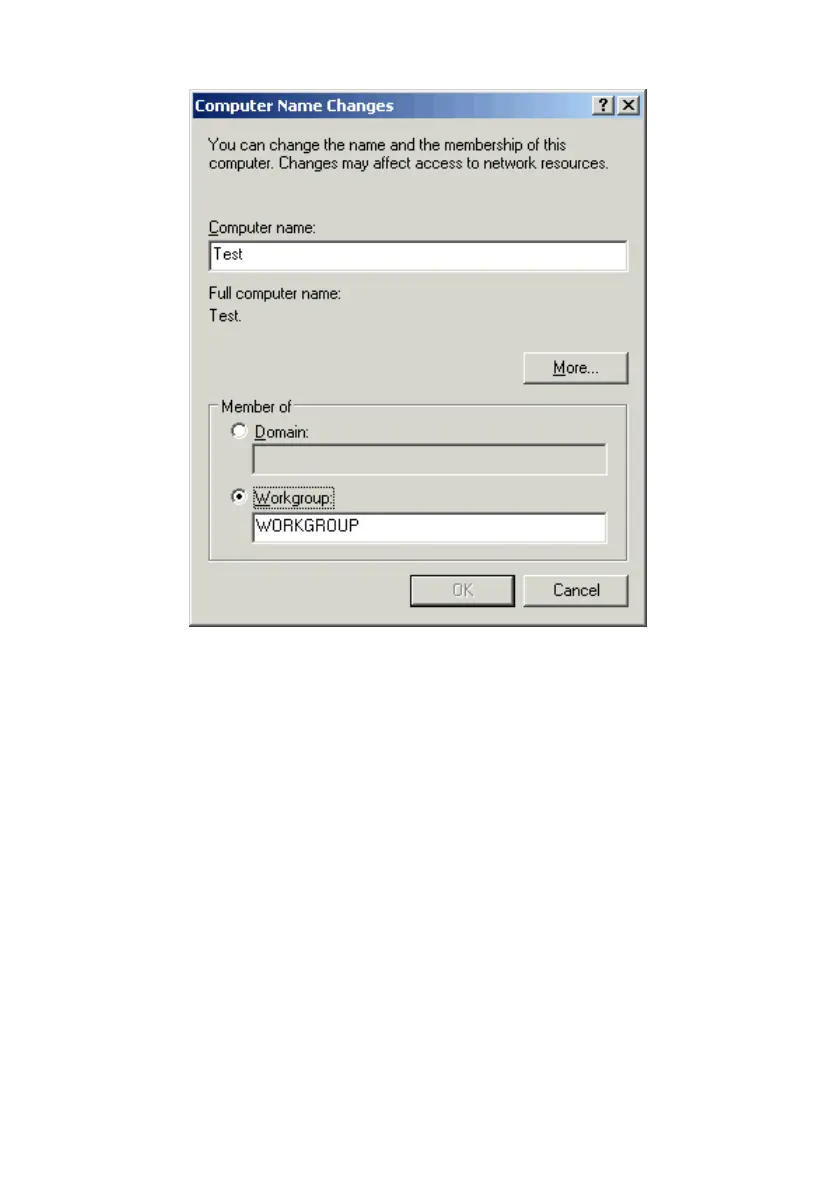
3. Open the Computer Name tab and click the Change button.
4. Type a unique, identifying name for this particular computer in the Computer
name box. This will be the name that other computers on your network will use
to communicate with this computer. Each computer’s name must be unique on a
particular network or confusion will result. (The computer’s name should be 15
or fewer characters with no spaces.)
5. Type the workgroup name this computer will be a part of in the Workgroup box.
All of the computers on your network should have an identical Workgroup name.
6. Click OK.
7. Repeat this process for each computer on your network to ensure that they all
have a unique “Computer Name” and identical “Workgroup”.



 To Next Page