-27-
When the “Local Area Connection Properties” window comes back up, click
OK. Windows will ask you to reboot. Click Ye s.
You have completed the configuration of the Dynamic IP Address.
Configuring a Static IP Address
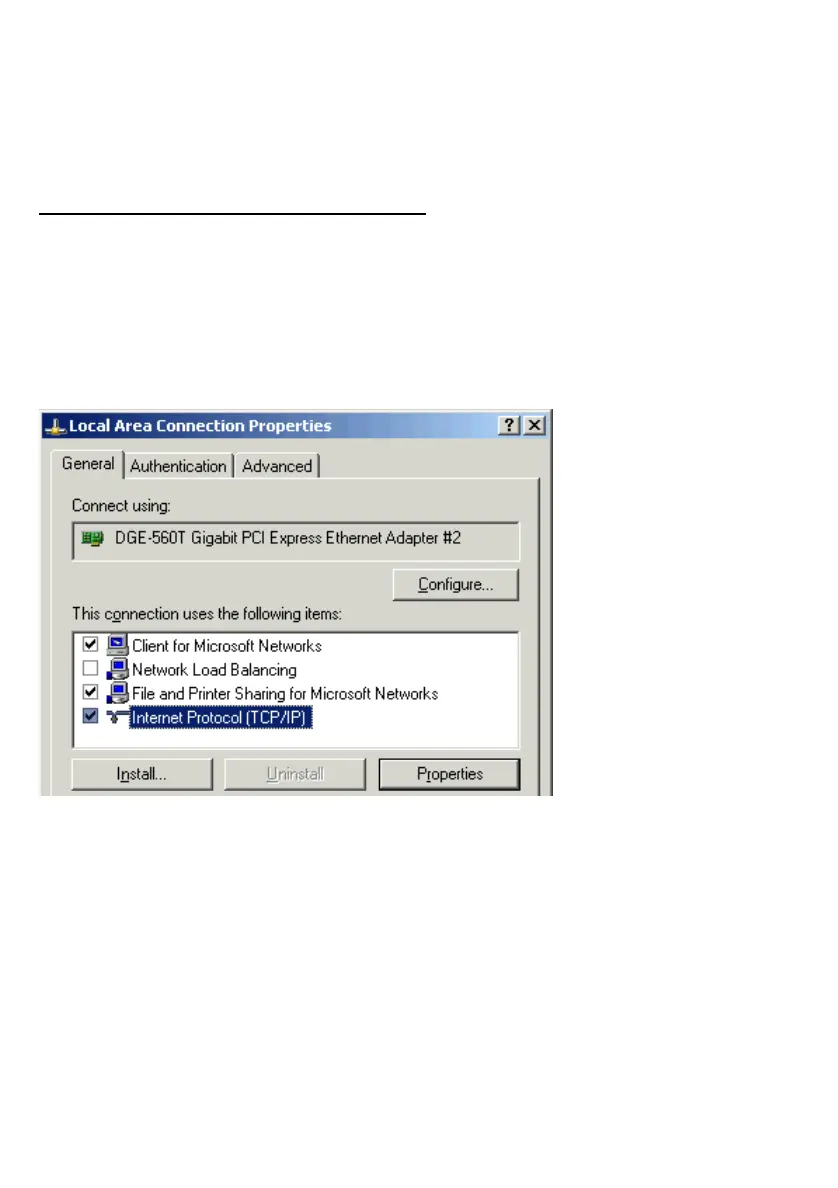
Go to Start > Settings > Control Panel > Network Connections.
Right-click Local Area Connection for the D-Link DGE-560T and select
Properties from the context menu.
Select TCP/IP.
Click Properties.
NOTE: If TCP/IP is not present, see the section: “How to Install TCP/IP”.



 To Next Page