-17-
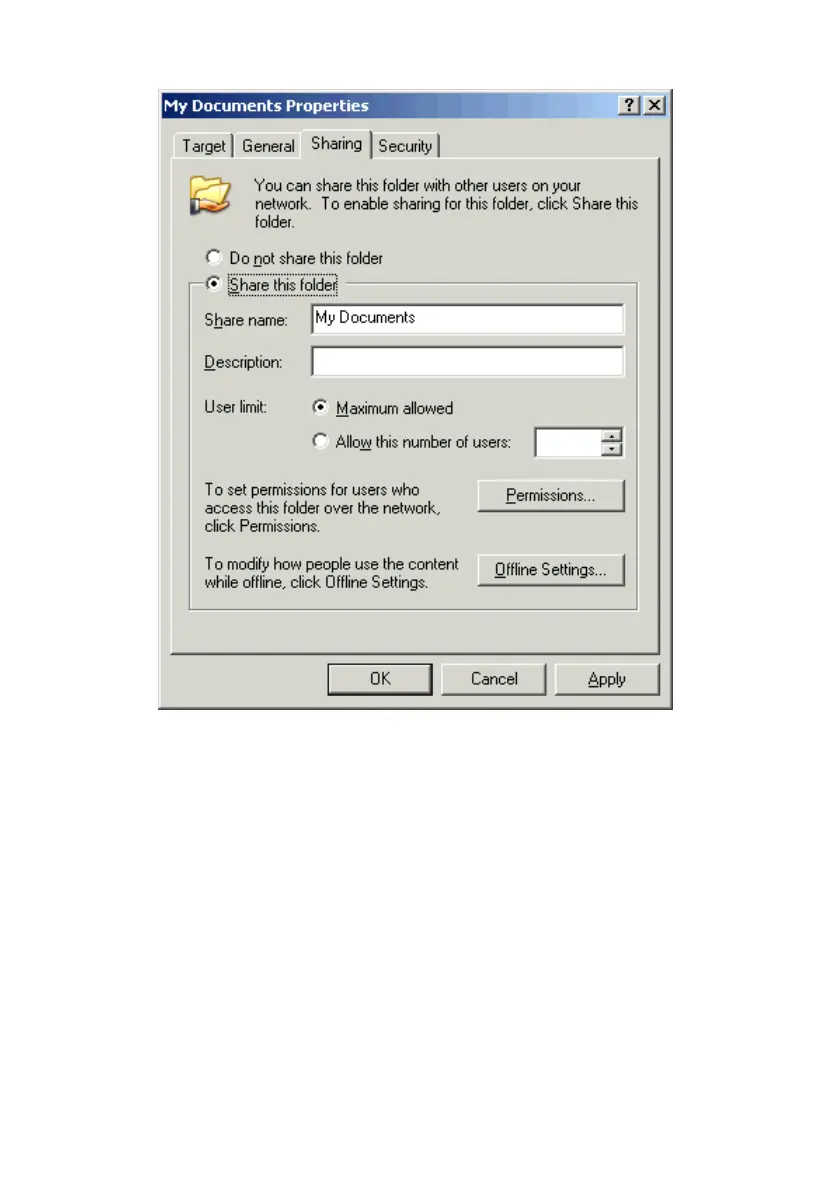
3. Open the Sharing tab and select Share this folder.
4. The Share Name box is used to identify the folder you are sharing to other com-
puters on the network. You can give it any name you wish. However, a specific
identification may help as more resources on your network are shared.
5. The Description box is optional. You can use this box to further describe the
folder for others on the network.
6. By selecting Allow this number of users: you can limit the number of users that
are allowed to look at or open the files in the folder.



 To Next Page