- 3 -
6.
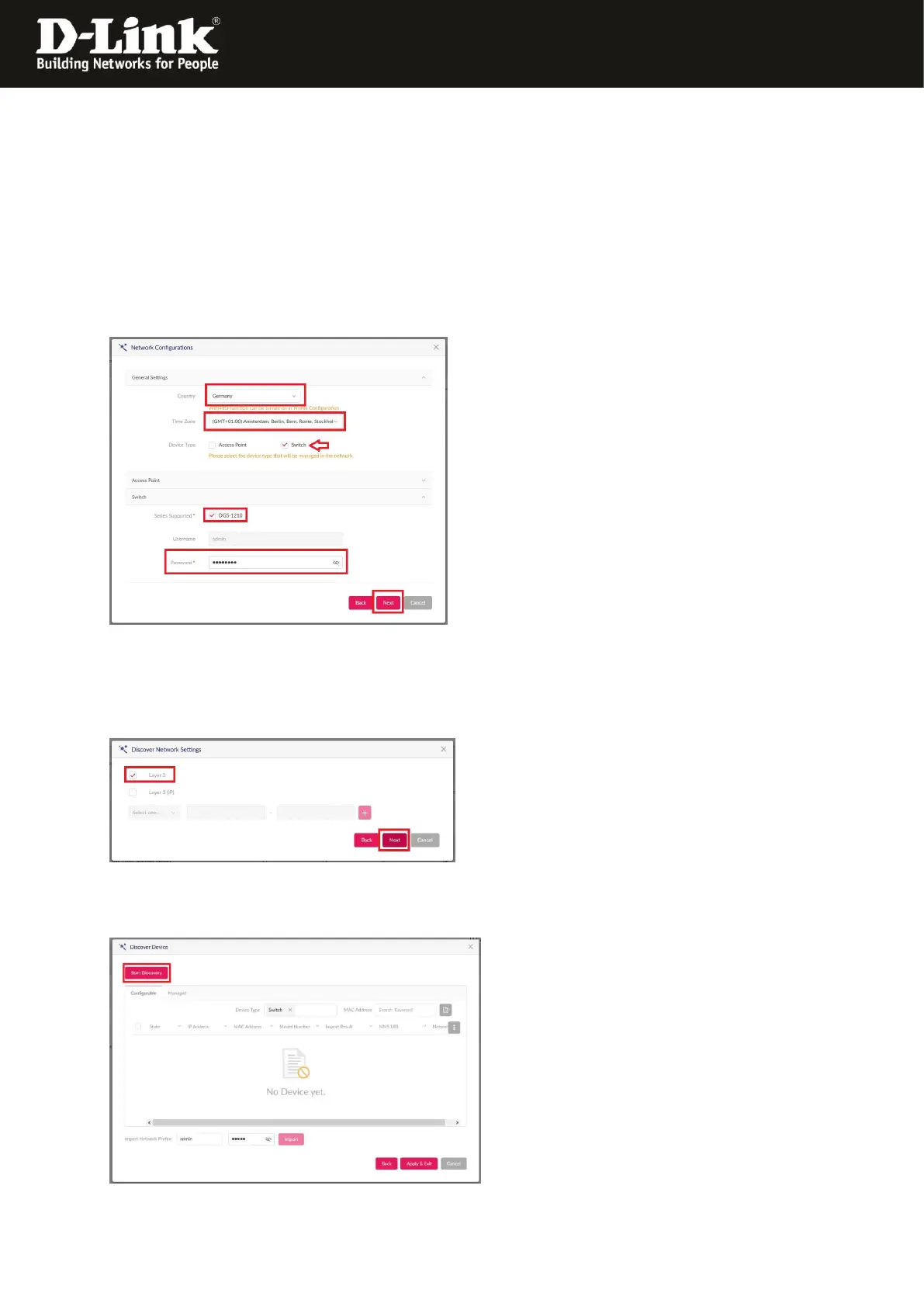
- Chose the Country where the switch has to work.
- If necessary modify the Time Zone.
- Set a hook at Switch.
- At Series Supported a hook must be at DGS-1210.
- At Password you must enter the Admin-password this the DGS-1210 has to get from
the NC-Profile as soon as it will be bound-in.
Click onto Next.
7. Normally it is fine to use Layer 2.
Click onto Next.
8. Upper-left click onto Discovery to let search for DGS-1210 switches.




 To Next Page