- 5 -
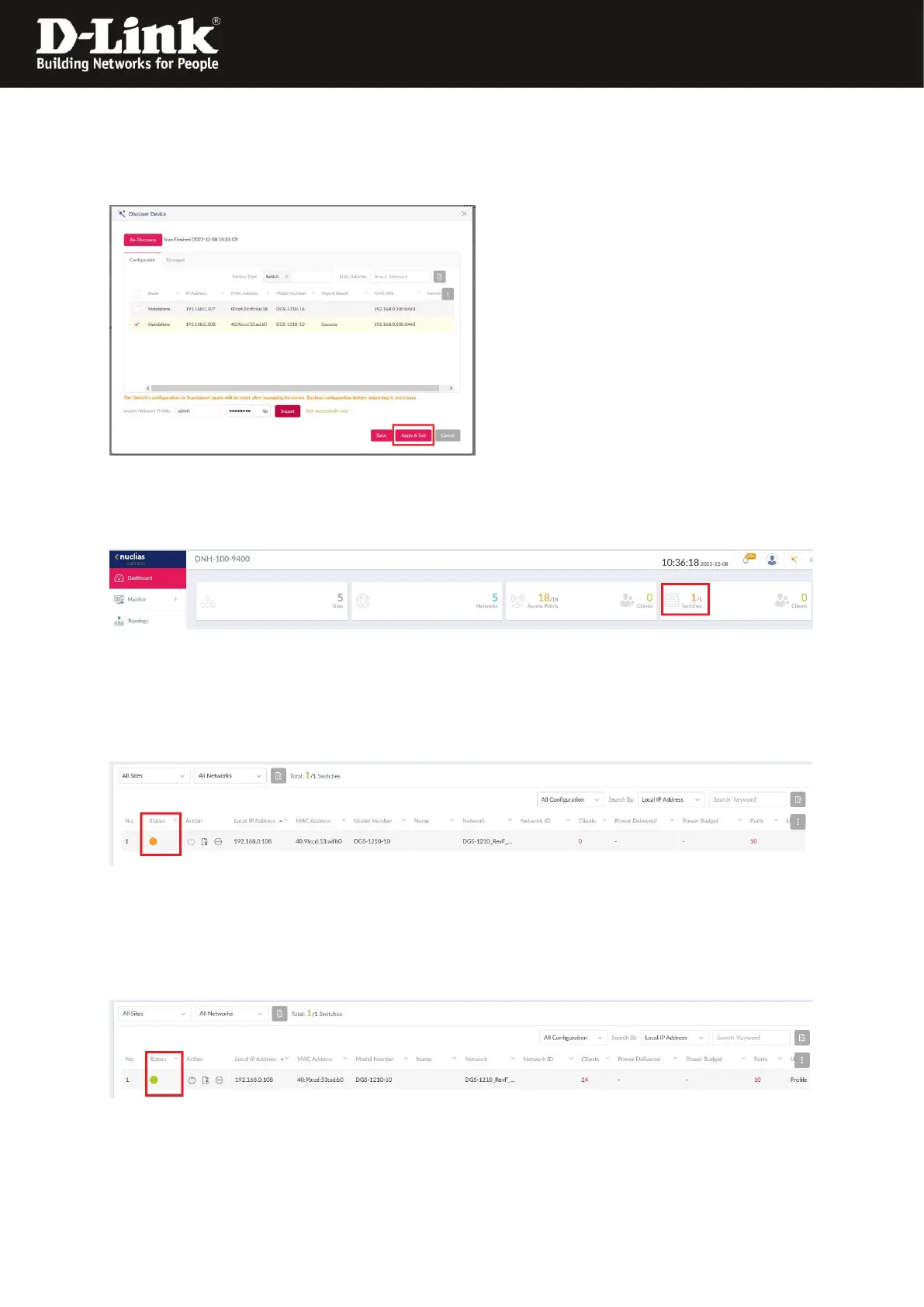
11. The displayed NC flickers a few times now.
Please what until this ends.
Click onto Apply & Exit.
12. After 3-5 minutes the switch will be displayed in the Dashboard.
Click onto this…
… then the Status of the DGS-1210 will be displayed.
Normally at this moment it is boarding.
Status is orange = Boarding
After additionally 3-5 minutes the Status is green = Connected
The DGS-1210 can be managed and configured via the NC now.




 To Next Page