xStack
®
DGS-3200 Series Layer 2 Gigabit Ethernet Managed Switch
32
MAC Notification Port Settings
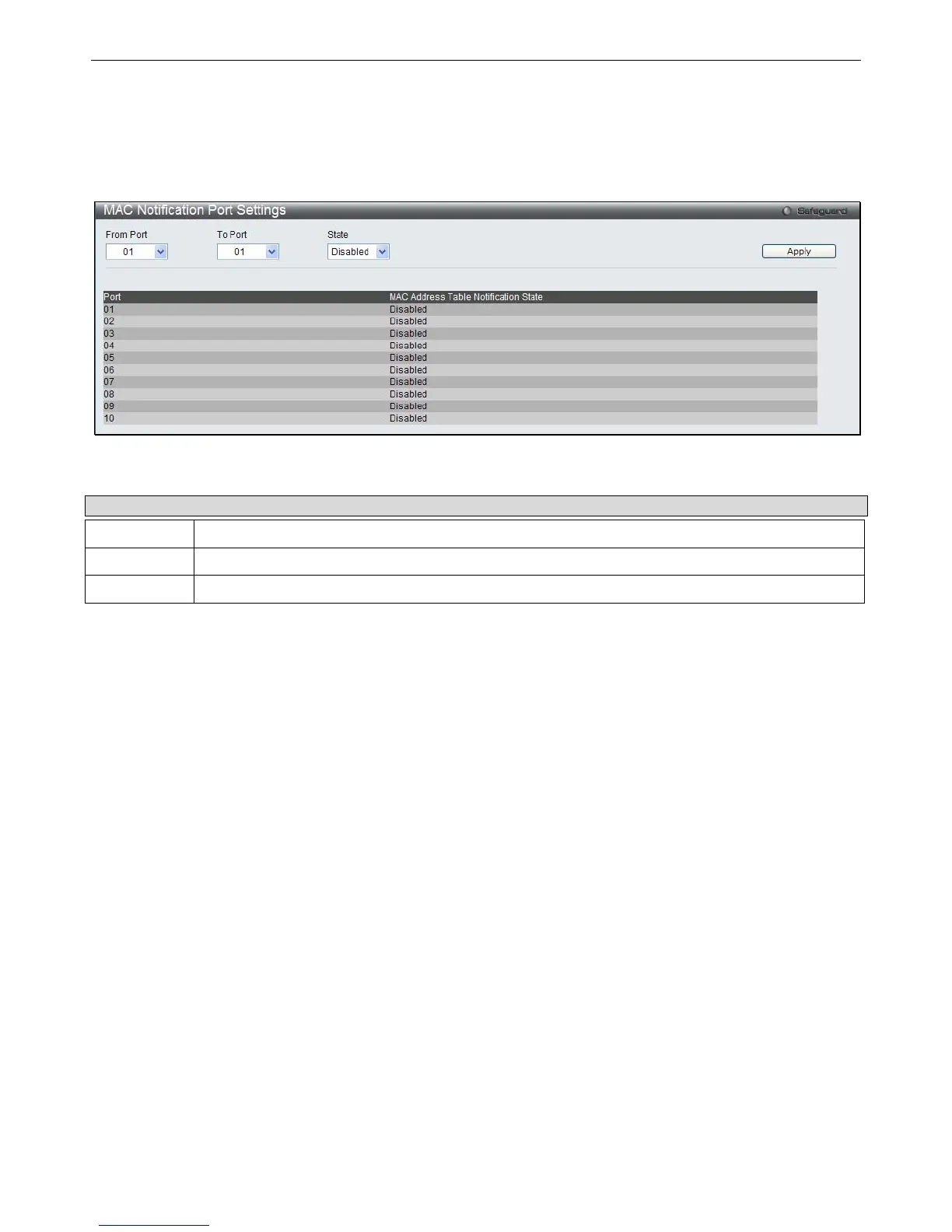
Users can set MAC notification for individual ports on the Switch.
To view the following window, click Configuration > MAC Notification Settings > MAC Notification Port Settings:
Figure 2 - 36. MAC Notification Port Settings window
To change MAC notification settings for a port or group of ports on the Switch, configure the following parameters.
Parameter Description
From Port
Select a beginning port to enable for MAC notification using the pull-down menu.
To Port
Select an ending port to enable for MAC notification using the pull-down menu.
State
Enable MAC Notification for the ports selected using the pull-down menu.
Click Apply to implement changes made.







 To Next Page