22D-Link DHP-W306AV User Manual
Section 3 - Configuration
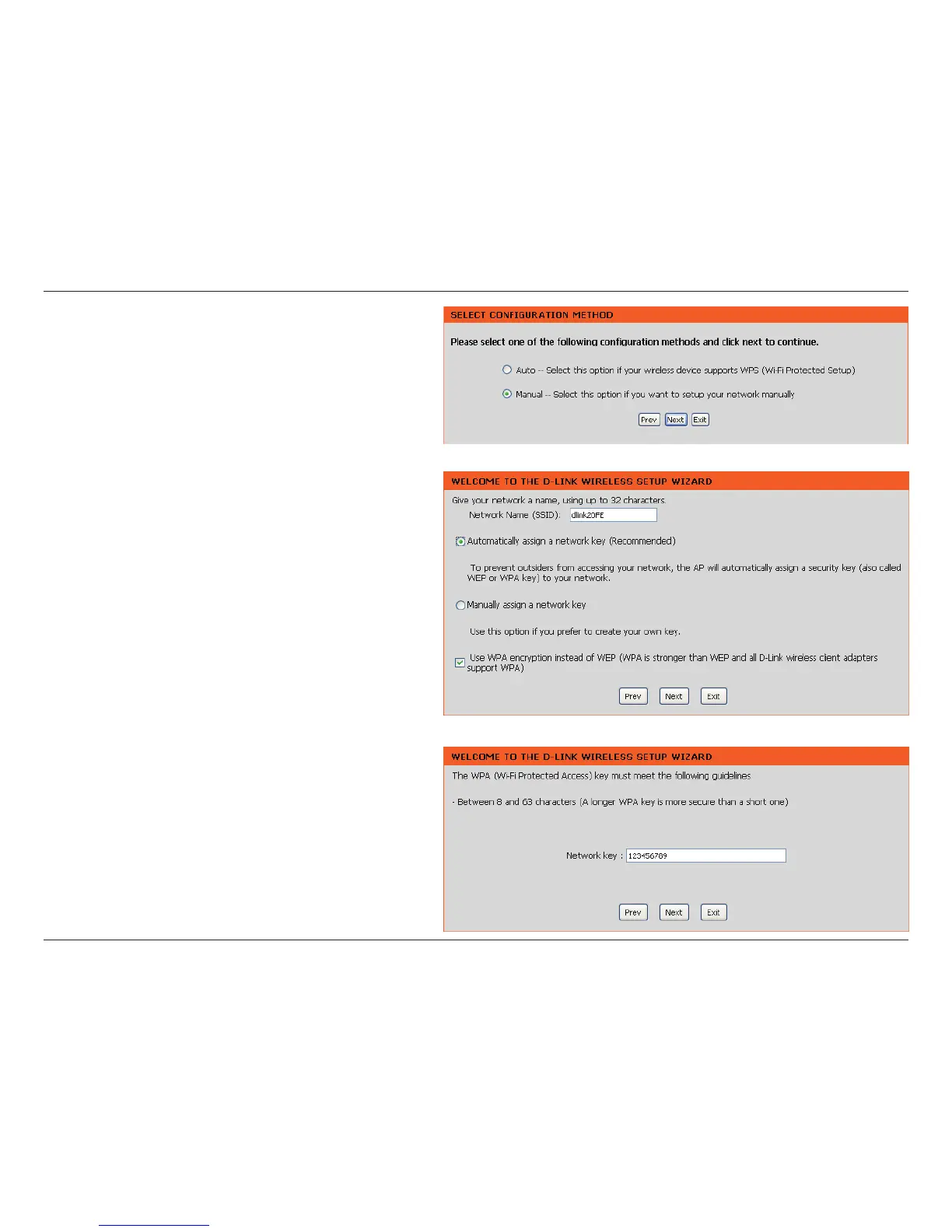
Select as the conguration method to set
up your network manually.
Click to continue.
Enter a name for your wireless network (SSID).
Select to
have the access point generate a key for you to
enter on your wireless clients. If you would like
to enter your own key, select
.
To use WPA security, check the
. If left unchecked,
WEP encryption will be used.
Click to continue.
If you selected as
the conguration method, enter your network key.
This key must be entered on your wireless clients.
For encryption, enter a Network Key exactly 5
or 13 characters long or exactly 10 or 26 characters
using 0-9 and A-F.
Click to continue.


 To Next Page