33D-Link DHP-W306AV User Manual
Section 3 - Configuration
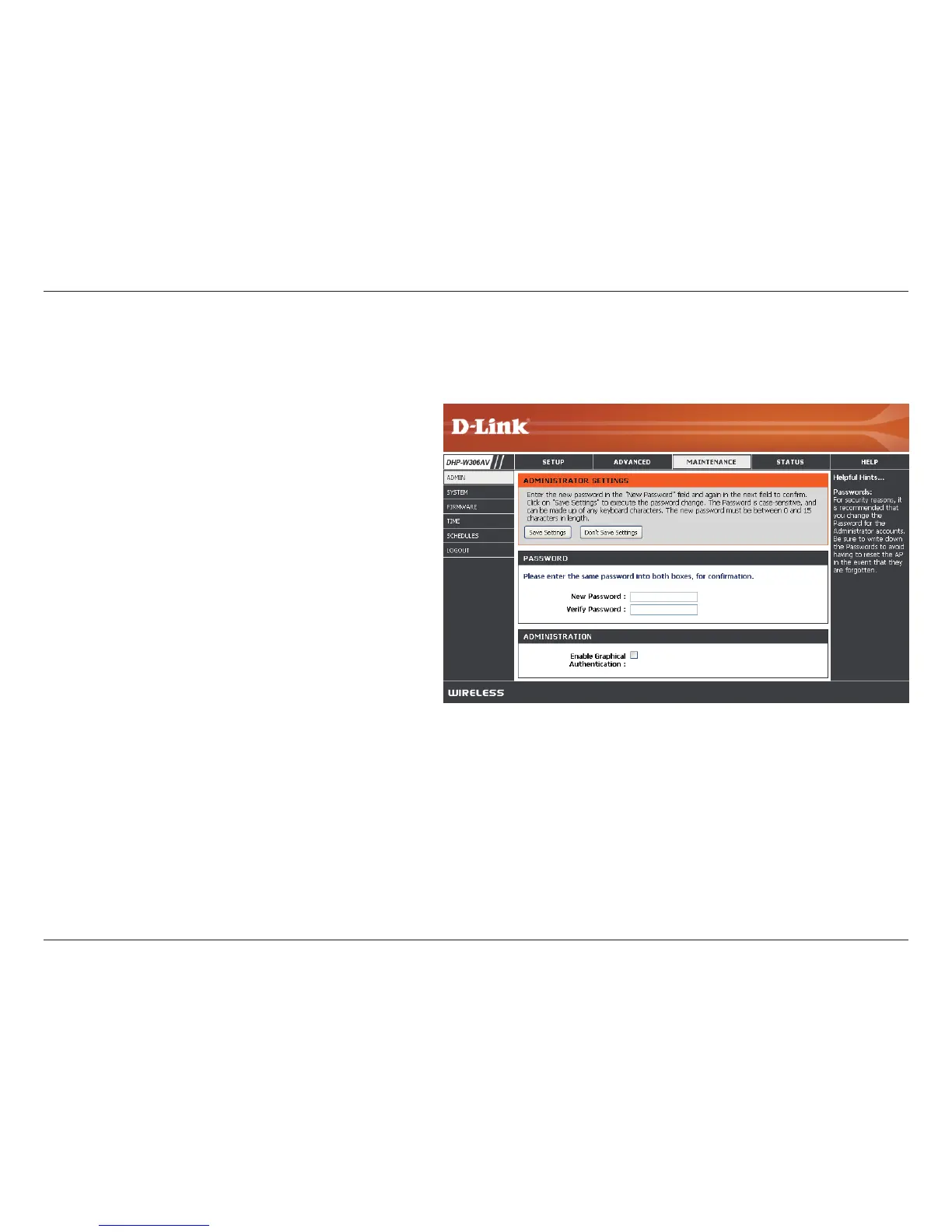
Password:
Verify
Password:
Enable
Graphical
Authentication:
Enter a new password for the User
Name. The administrator account can change
the conguration of the device.
Enter the same password that you entered
in the previous textbox in order to conrm its
accuracy.
Enables a challenge-response test which will
require users to type letters or numbers from
a distorted image displayed on the screen
to prevent online hackers and unauthorized
users from gaining access to your device’s
conguration. This feature is disabled by default.
Admin
This page will allow you to change the Administrator password. The administrator password has read/write access.


 To Next Page