Section 4 – Security
————————————————————————————————————————————————————————————
D-Link DIR-524 User Manual 23
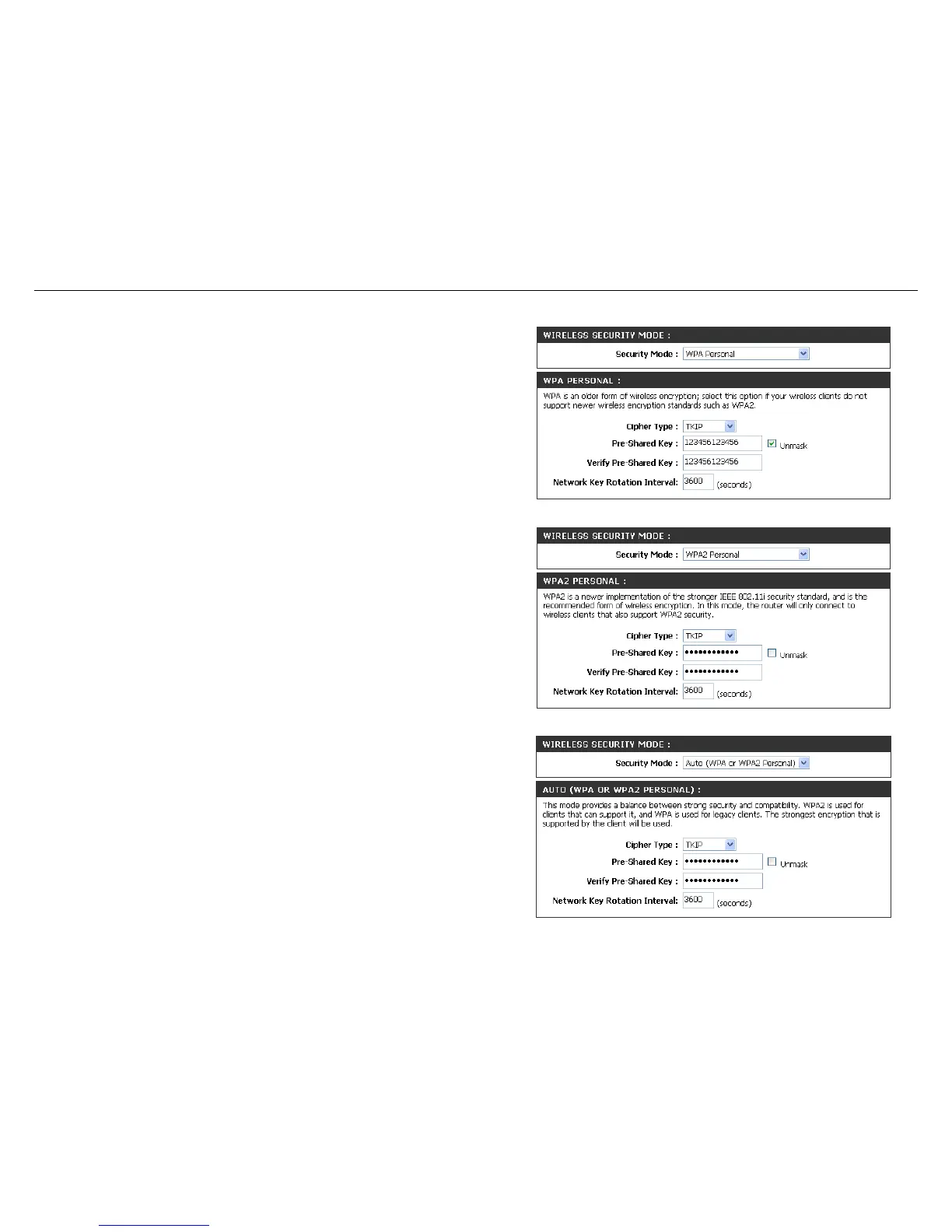
1.The Security Mode include WPA Personal Only,
WPA2 Personal Only,Auto(WPA or WPA2 Personal).
You can select one of them to configure.
2. Next to Cipher Type, select TKIP + AES, TKIP,
or AES. If you have wireless clients that use both
types, use TKIP + AES.
3. Next to Pre-Shared Key, enter a key (passphrase).
The key is entered as a pass-phrase in ASCII format
at both ends of the wireless connection. The passphrase
must be between 8-63 characters.
4. Click Save Settings to save your settings. If you
are configuring the router with a wireless adapter,
you will lose connectivity until you enable the Security
mode on your adapter and enter the same passphrase
as you did on the router.



 To Next Page