Section 4 – Security
————————————————————————————————————————————————————————————
D-Link DIR-524 User Manual 28
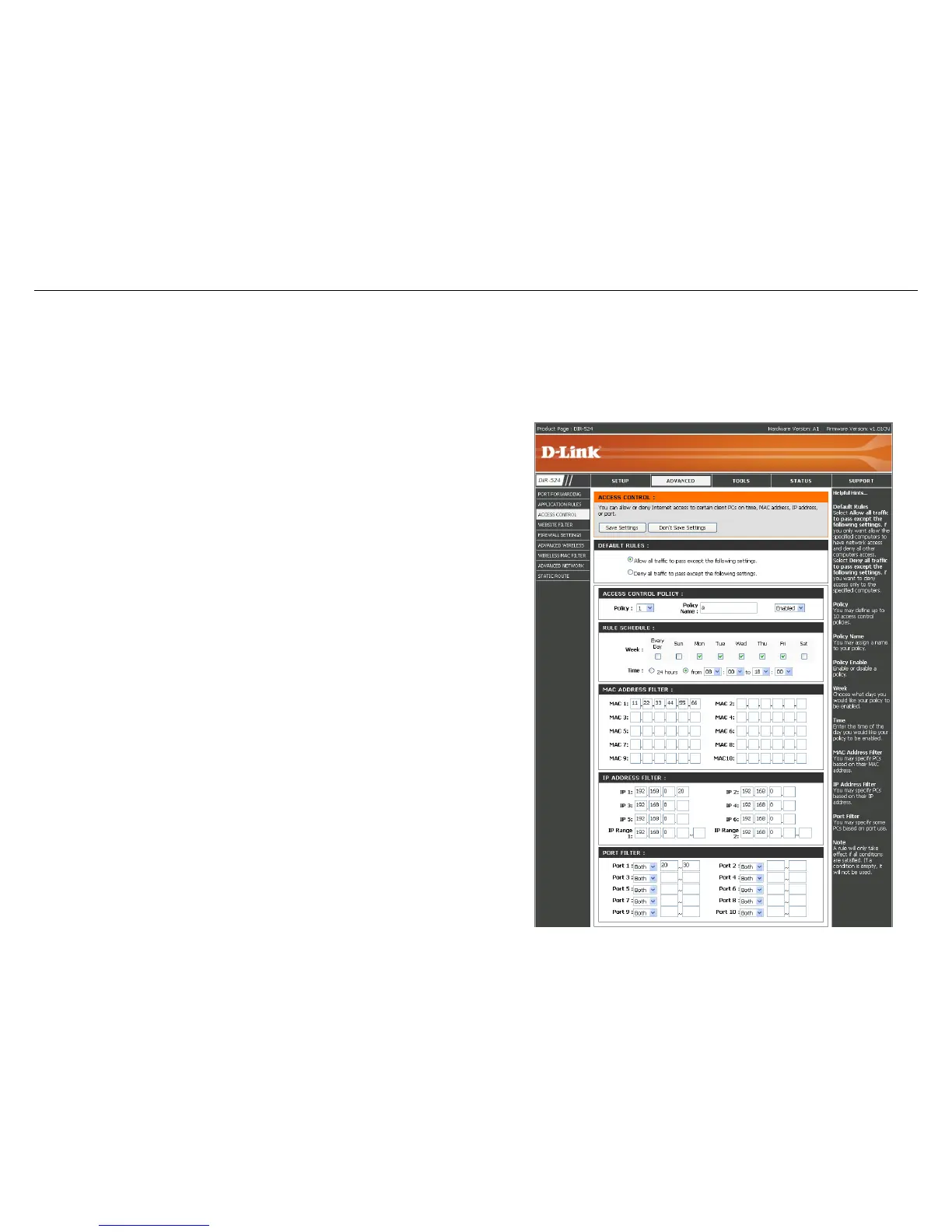
Access Control
The Access Control section allows you to control access in and out of your network. Use this feature as Parental
Controls to only grant access to approved sites, limit web access based on time or dates, and/or block access from
applications like P2P utilities or games.
Default Rules:
Select Allow all to pass except the following
settings, if you only want to the selected
computers to have network access and all other
computers not to have network access. Select
Deny all to pass except the following settings,
if you want all computers to have network access
except those computers in the list.
Policy Name:
Enter a name to your policy.
Time Filter:
Week: Choose the day of the week you would
like your policy to be applied.
Time: Enter the time of the day you would like
your policy to apply.
MAC Address
Filter:
You may choose some PCs based on MAC
address to access Internet.
IP Address
Filter:
You may choose some PCs based on IP address
to access Internet.
Ports Filter:
You may choose some PCs based on Port to
access Internet.



 To Next Page