Section 4 – Security
————————————————————————————————————————————————————————————
D-Link DIR-524 User Manual 24
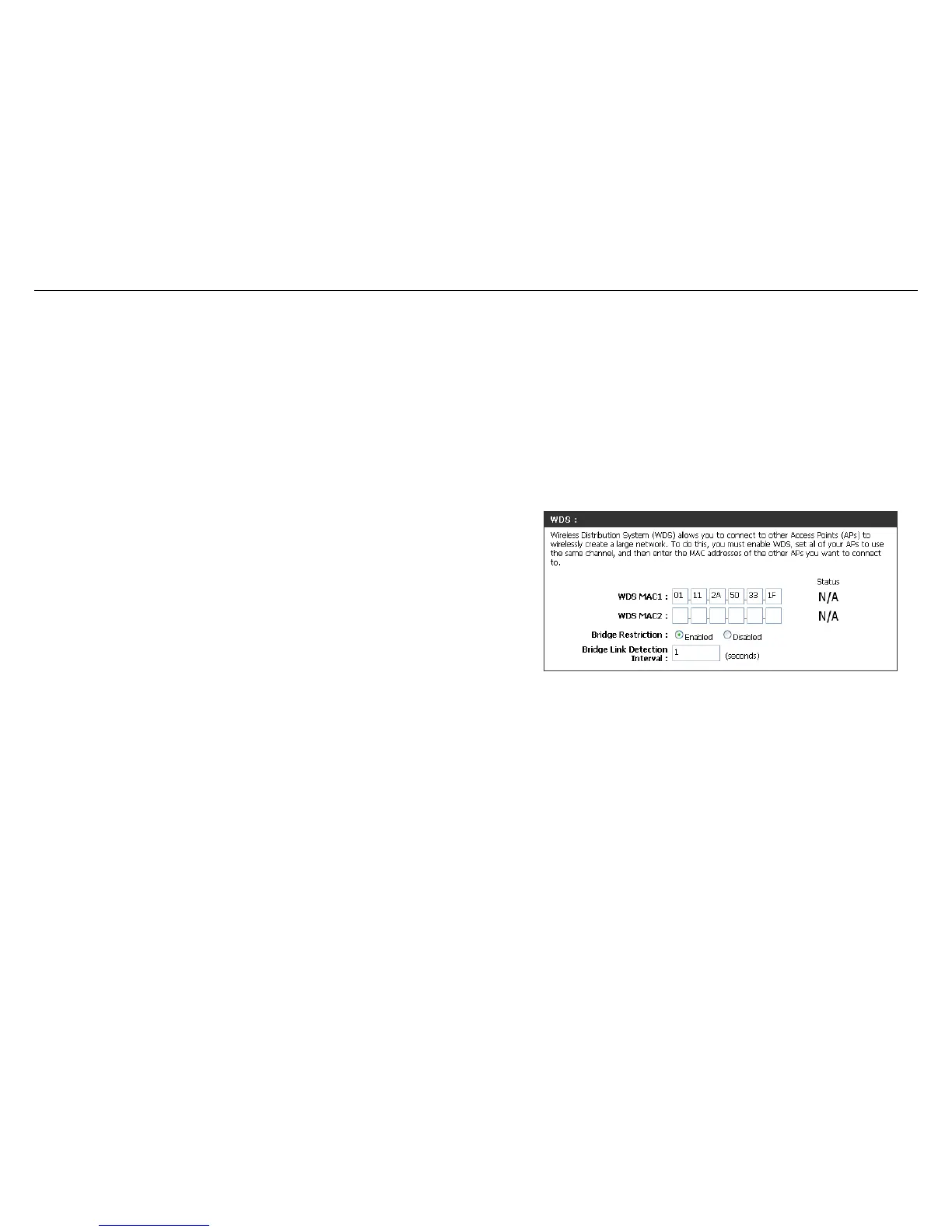
WDS Setting
Wireless Distribution System uses wireless media to communicate with other APs, like the Ethernet does. To do this,
you must set these APs in the same channel and set MAC address of other APs which you want to communicate with
in the table and then enable the WDS.
WDS MAC:
Set another AP's MAC address. The MAC
address must be the Wireless MAC address
of the AP.
Bridge Restriction:
Selecting Disabled disables wireless bridge
restriction. Any wireless bridge (including the
ones listed in Bridges) will be granted access.
Selecting Enabled enables wireless bridge
restriction. Only those bridges listed in
Bridges will be granted access.
Bridge Link
Detection Interval:
Set the Wireless bridge link detection interval
in seconds. Leave blank or set to zero to
disable the detection.



 To Next Page