DIR-853 AC1300 MU-MIMO Wi-Fi Gigabit Router
with 3G/LTE Support and USB Port 3.0
User Manual
Configuring via Web-based Interface
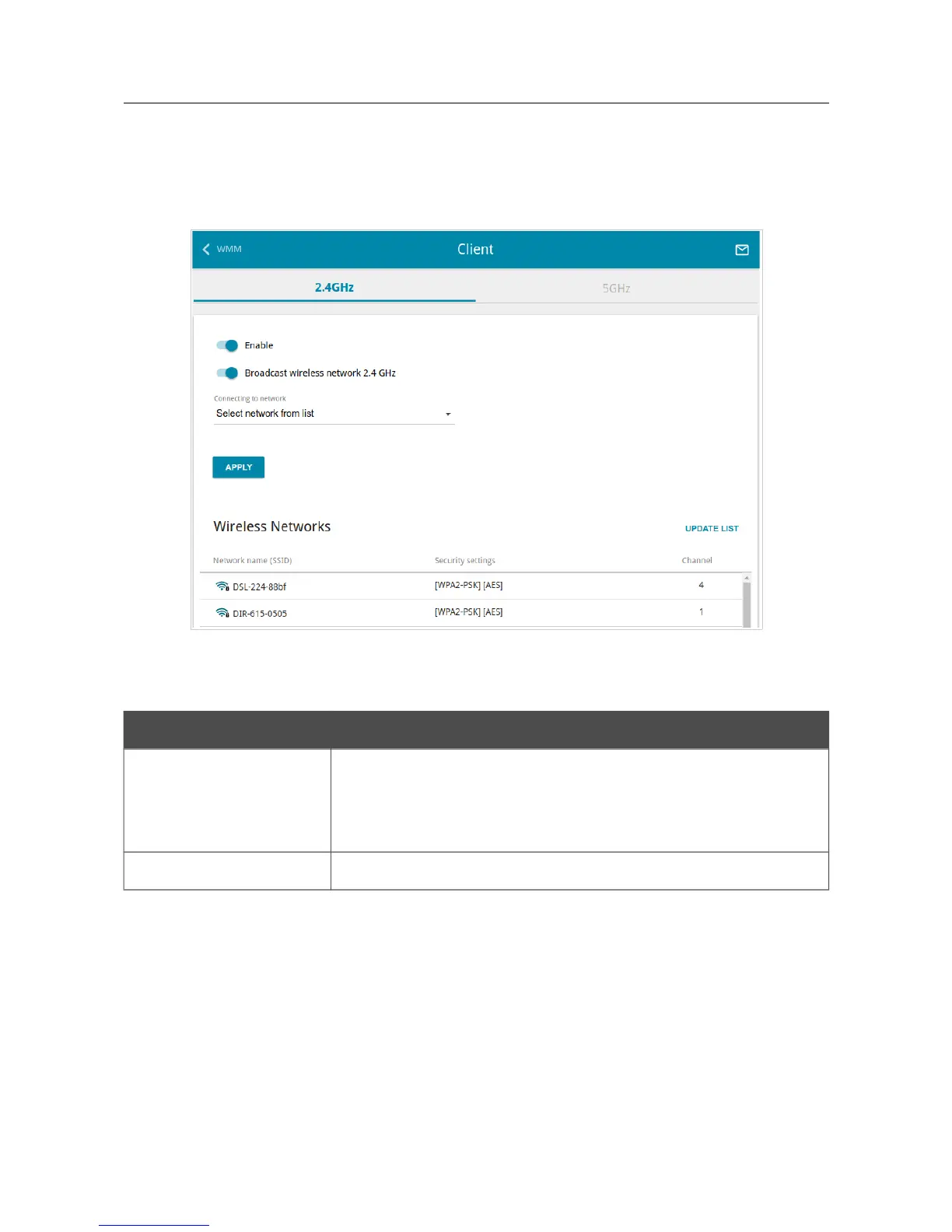
On the Wi-Fi / Client page, you can configure the router as a client to connect to a wireless access
point or to a WISP. To configure the 2.4GHz band or 5GHz band, go to the relevant tab.
Figure 103. The page for configuring the client mode.
To configure the router as a client, move the Enable switch to the right. Upon that the following
fields are displayed on the page:
Parameter Description
Broadcast wireless
network 2.4 GHz /
Broadcast wireless
network 5 GHz
If the switch is moved to the left, devices cannot connect to the
router's WLAN. Upon that the router can connect to another access
point as a wireless client.
Connecting to network
A method for connecting to another access point.
Page 127 of 228



 To Next Page