Section 3 - Configuration
D-Link DSL-2750B User Manual
33
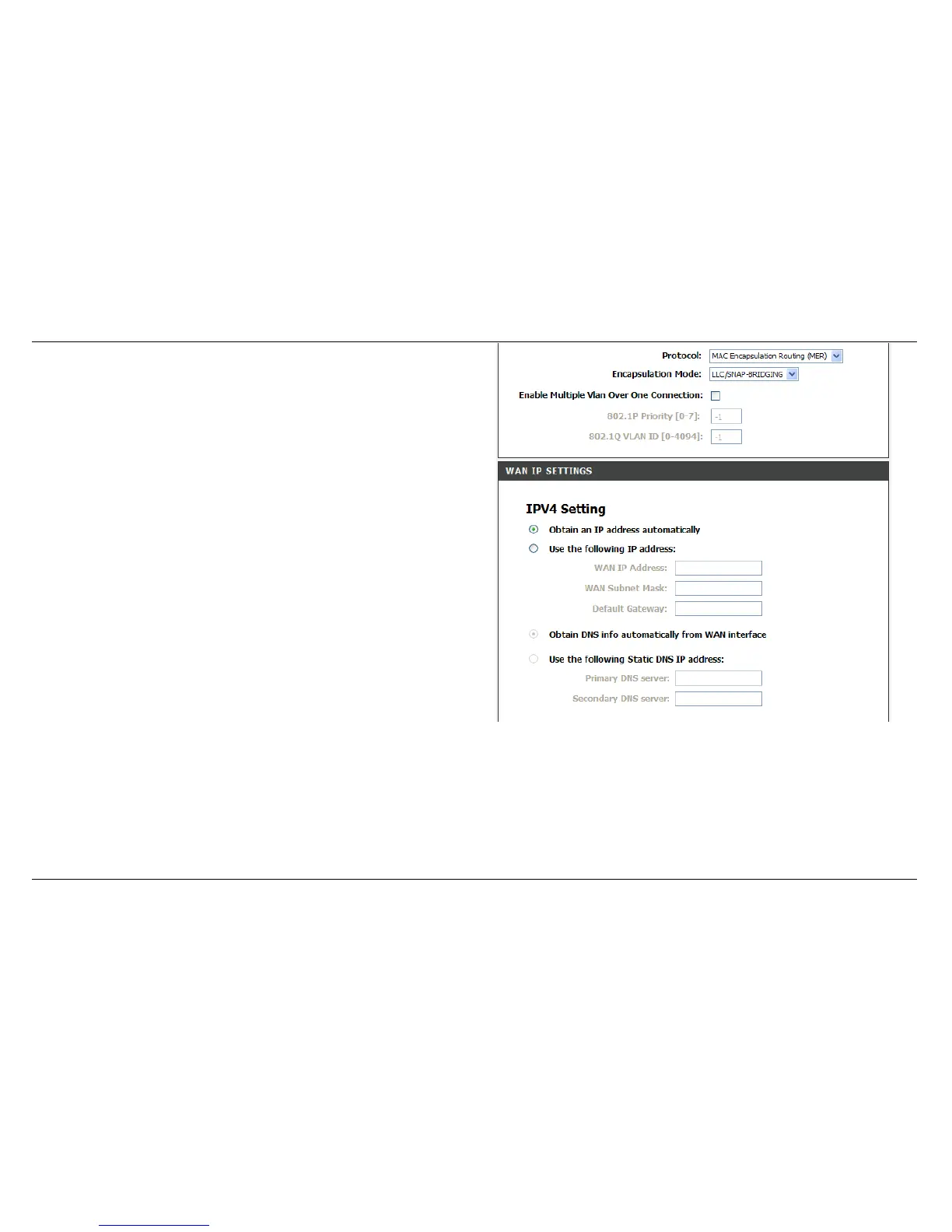
For MAC Encapsulation Routing (MER) CONNECTION
Select Protocol and Encapsulation Mode from the drop-down list.
WAN IP SETTINGS
IPV4 Setting
Obtain an IP address automatically: The function enables DHCP
client functions.
Use the following IP address: Select the function if you would like to
enter the WAN IP address manually.
WAN IP Address: Enter the IP address of the WAN interface provided
by your ISP.
WAN Subnet Mask: Enter the subnet mask concerned to the IP
address of the WAN interface provided by your ISP.
Default Gateway: Enter the default gateway.
Obtain DNS info automatically from WAN interface: User can get
DNS server information from the selected WAN interface
Use the following Static DNS IP address: Select it if you would like to
enter the IP address of the DNS server manually.
Primary DNS server: Enter the IP address of the primary DNS server.
Secondary DNS server: Enter the IP address of the secondary DNS
server provided by your ISP.



 To Next Page