23
Using the D-Link Media Server Software
(continued)
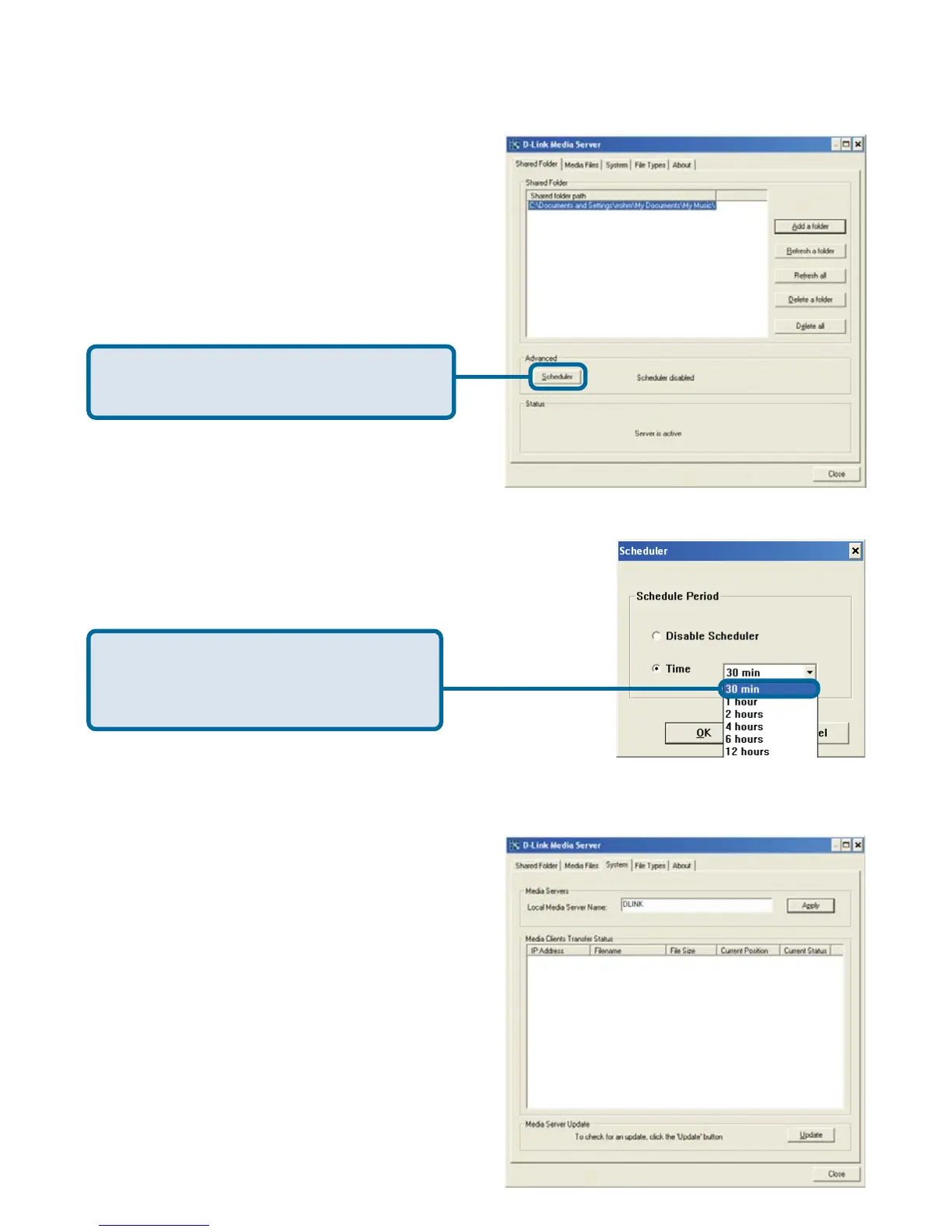
Click Scheduler if you want to setup
an automatic refresh interval.
Click Time and select a time
period. This is how often the server
will refresh the folder contents.
Naming the Media Server
The Media Server name is entered here.
This is the server name that is displayed
when searching for available media
servers in the DSM-320 interface.



 To Next Page