26
Using Windows
®
Media Connect
Software
Windows XP users with Service Pack 2 can utilize the Windows
®
Media Connect
software in addition to or instead of using the D-Link Media Server software.
The Windows
®
Media Connect software allows the DSM-320 to playback DRM
(Digital Rights Management) protected files. The Windows
®
Media Connect
software is available via Windows Update if you are using Windows XP with
Service Pack 2.
Configuring Windows
®
Media Connect
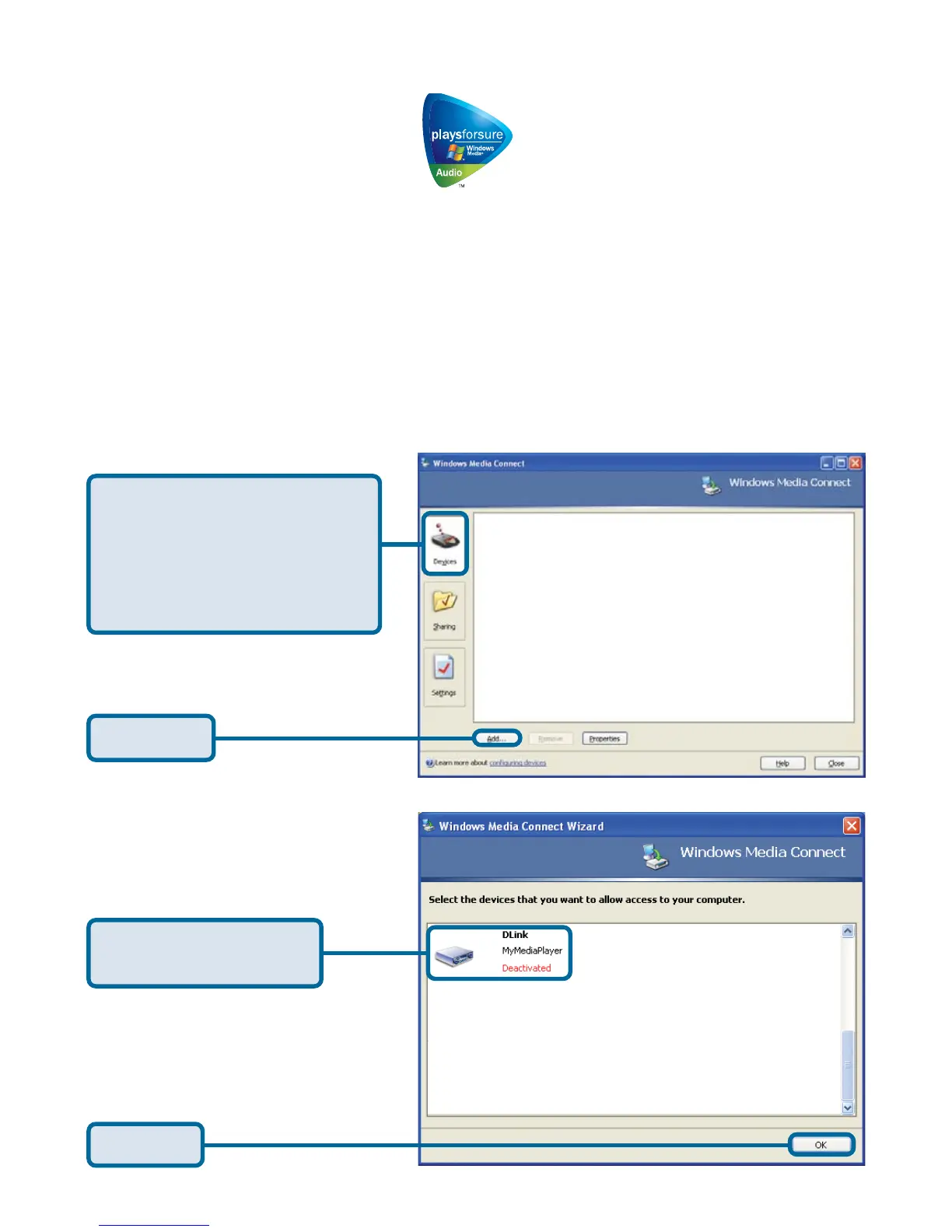
Launch the Windows
®
Media Connect software and the window below will appear:
The Devices tab is where
you add the DSM-320 to
the list of devices that
interact with Windows
Media Connect.
Click Add
Select your Media
Player from the list.
Click OK



 To Next Page