30
Connecting the DSM-320
All audio, video, and networking connections are located on the rear panel of the
DSM-320.
Video Connections
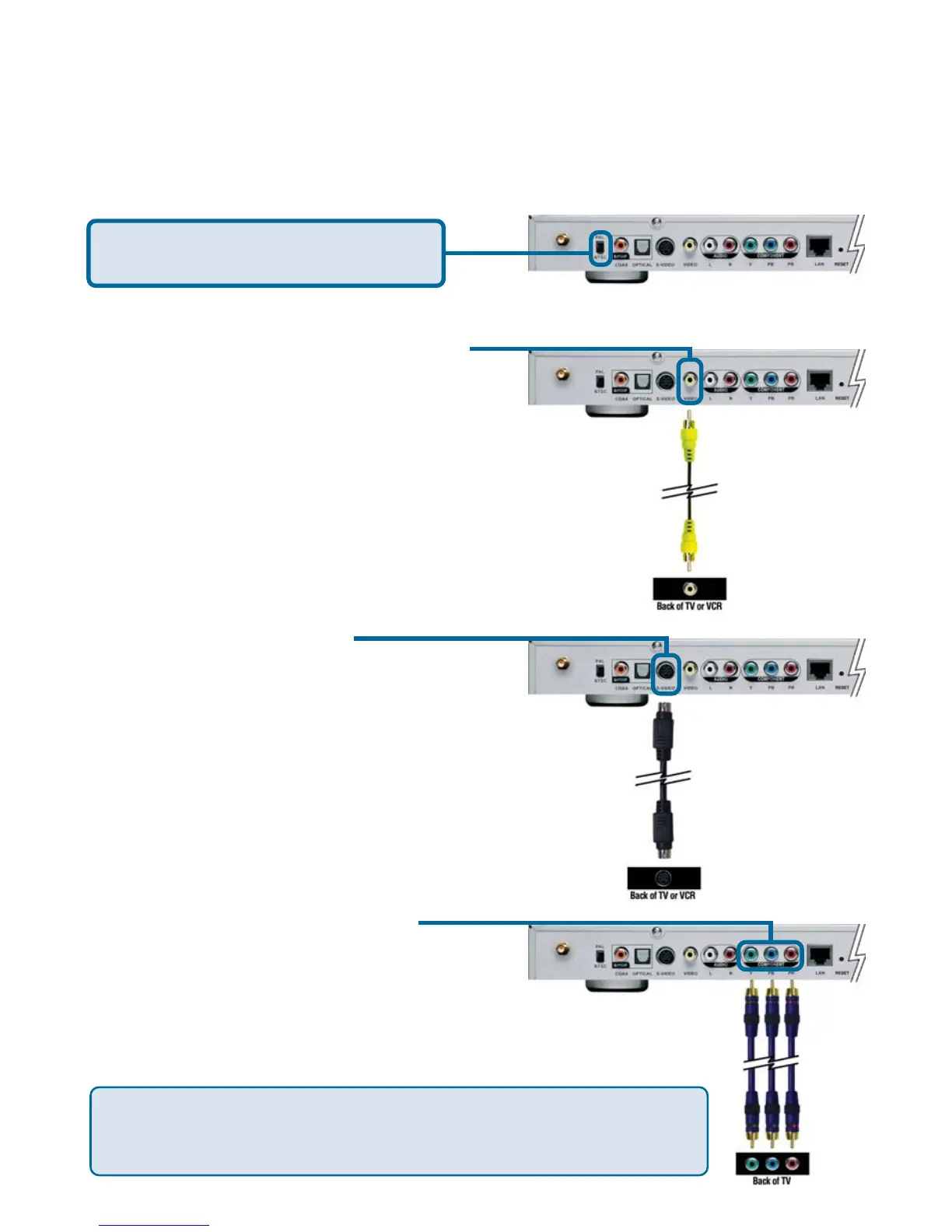
Select one of three ways to connect video to your DSM-320:
The VIDEO OUT button on the remote control toggles between the
composite/S-Video output and the component output. If component
connectors are used but not selected, the screen will be tinted blue.
• Composite Video Connector
Plug the supplied yellow video cable
into the DSM-320 and the matching
opposite end of the cable to your
television input.
• S-Video Connector
Plug the supplied S-Video cable into
the S-Video connector and the
opposite end into the S-Video
connector on your television.
• Component Connectors
Match the color coded cables to the
matching connectors on the DSM-320
and into the component video input of
your television.
Note: This cable is not supplied.
Be sure the PAL/NTSC switch is set
to NTSC if you are located in the USA.



 To Next Page