24
Using the D-Link Media Server Software
(continued)
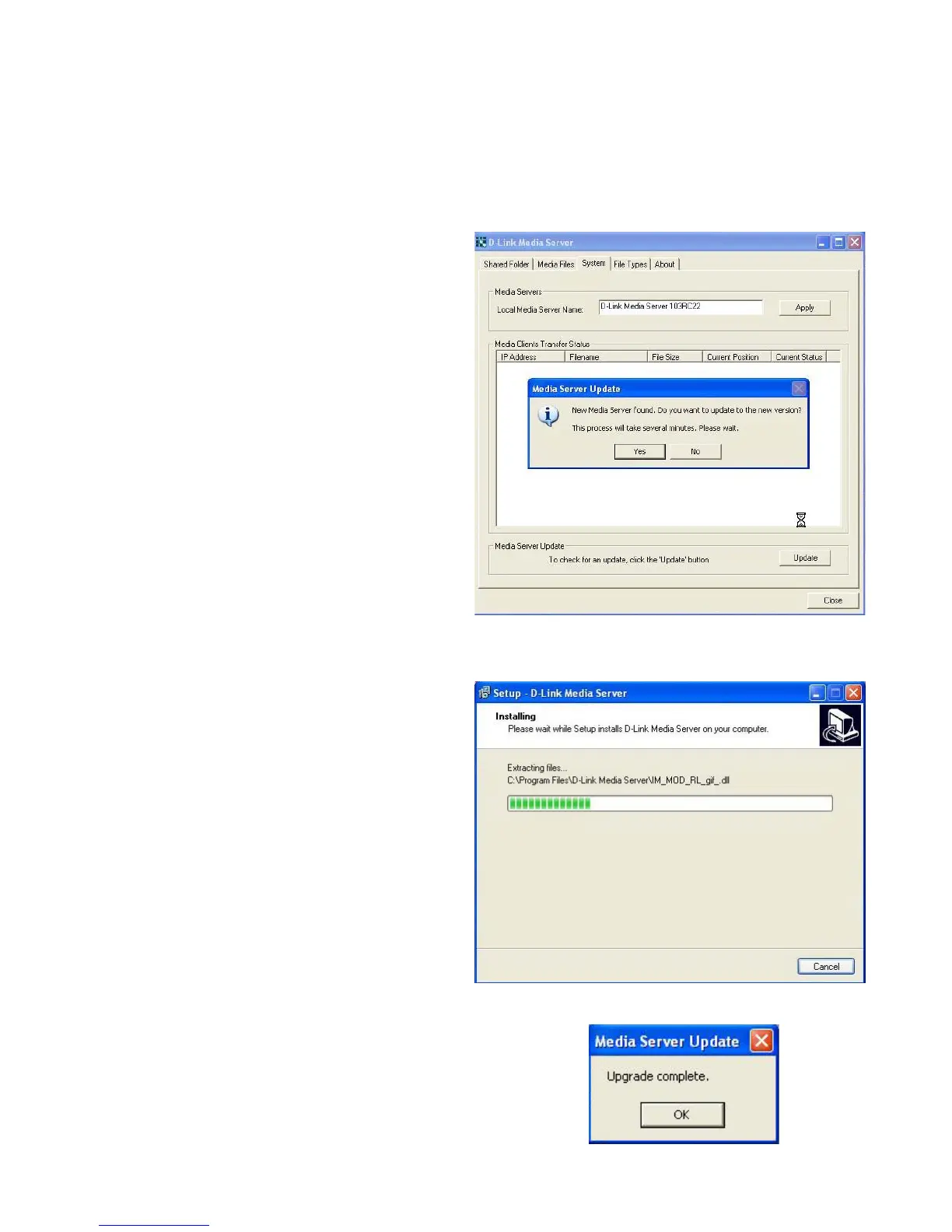
Upgrading the Media Server
Click Update, near the lower right
corner of this screen, to update the
Media Server.
The Media Server Update pop-up
screen will appear only if a newer
version is available. Click Yes.
You have completed the process for
updating the Media Server. Click OK.
This screen will appear to indicate that
the update is in progress.



 To Next Page