31
Connecting the DSM-320 (continued)
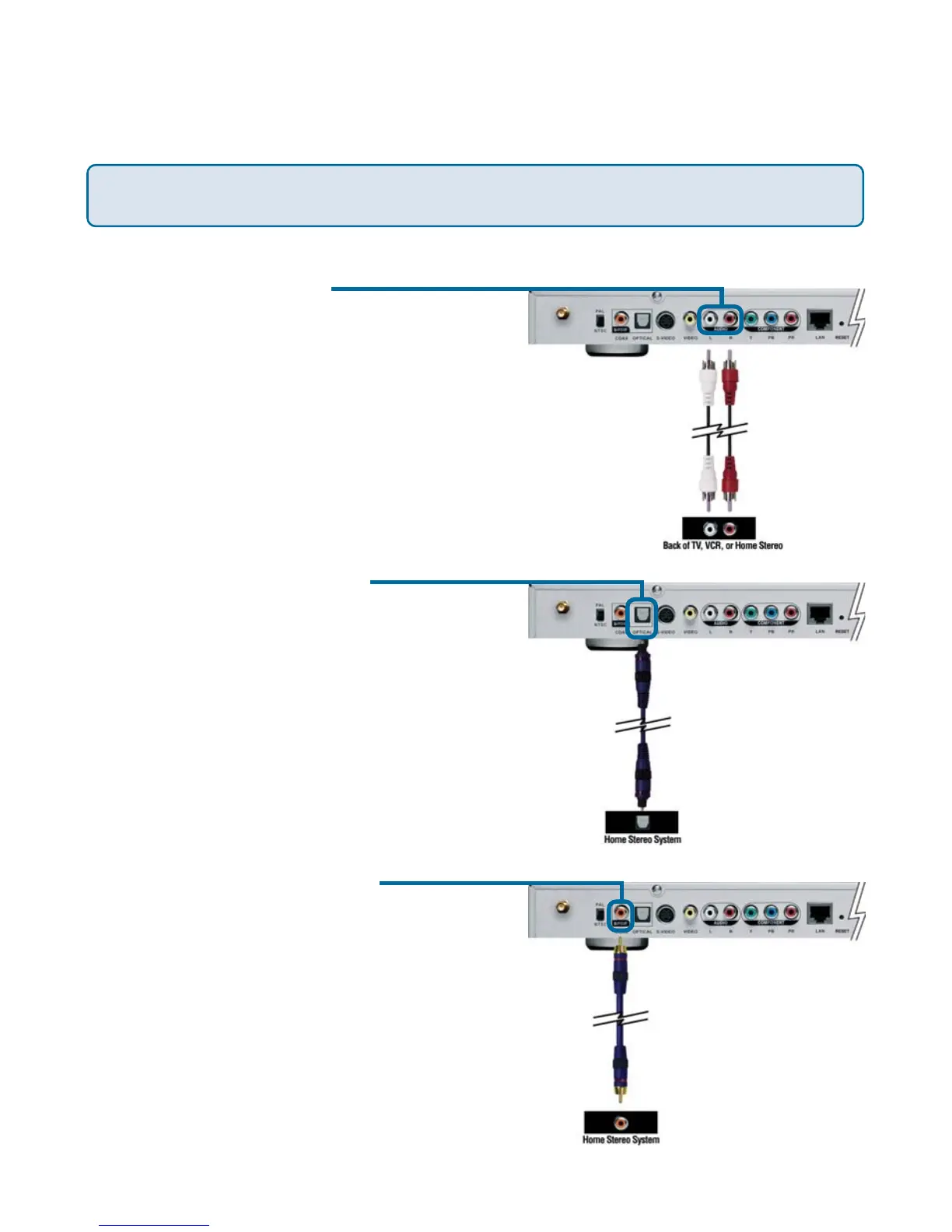
Audio Connections
The AUDIO OUT button on the remote control toggles between the composite audio
output and the digital audio output (optical/coaxial).
• Coaxial Digital Audio
Connect a coaxial audio connector
into the DSM-320 and the matching
opposite end of the cable to the
audio input of your audio system.
Note: This cable is not supplied.
• Optical Digital Audio
Connect an optical audio connector
into the DSM-320 and the matching
opposite end of the cable to the
audio input of your audio system.
Note: This cable is not supplied.
• Composite Audio
Plug the supplied red and white
connectors into the color-coded
matching jacks on the DSM-320.
Plug the opposite ends to the
matching jacks on your television or
audio/video system.



 To Next Page