28
Using Windows
®
Media Connect Software
(continued)
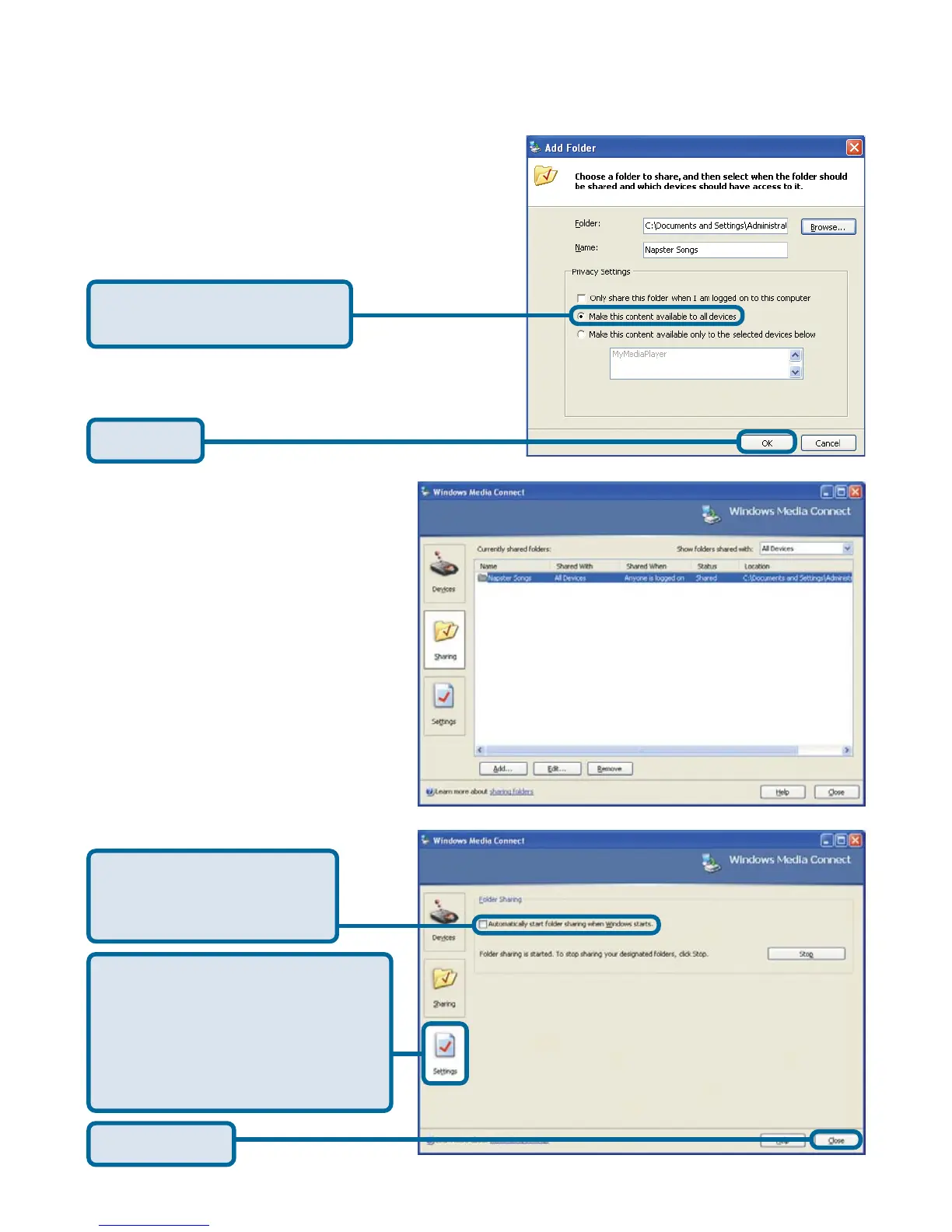
Click Make this content
available to all devices
Click OK
The Settings tab allows you
to automatically start folder
sharing when Windows
starts. You can also Stop/
Start sharing.
Click Automatically
start folder sharing
when Windows starts
The Shared Folders will appear
in the window. Repeat the
steps until you’ve shared all of
the folders that you want the
DSM-320 to access.
Click Close



 To Next Page