46
Music (continued)
Creating an Editable Playlist
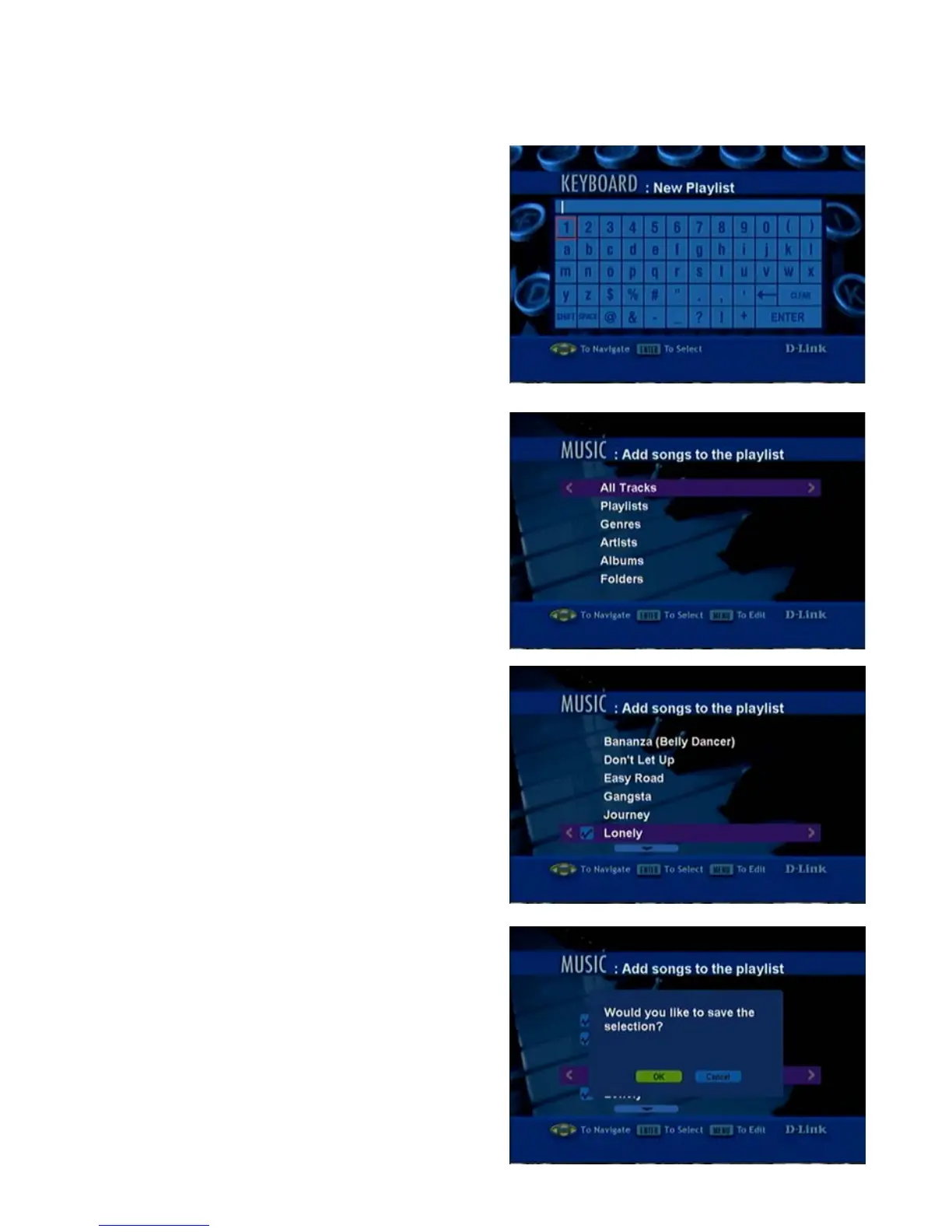
5. When the keyboard appears, type in
the title for your new playlist. After you
have typed in the title, click ENTER.
6. When the Add Songs to the playlist
screen appears, make your selection
from the following options: All Tracks,
Playlists, Genres, Artists, Albums or
Folders. (All Tracks is selected here).
Click ENTER to select.
7. Scroll up or down the list of songs,
and click ENTER to select a song for
the playlist.
The “checked” icon will appear as you
make the selection.
When you have completed all your
selections and wish to save the
playlist, click MENU.
8. After you click MENU, a pop-up
window will appear: Would you like
to save the selection? Click OK.



 To Next Page