68
Online Media (continued)
Live365
™
(continued)
Editor’s Station Picks: Lists recommended stations based on your preset
stations. Press the MENU button to add a station to your preset list.
Genres: Lists stations according to genre. Press the MENU button to add a
station to your preset list.
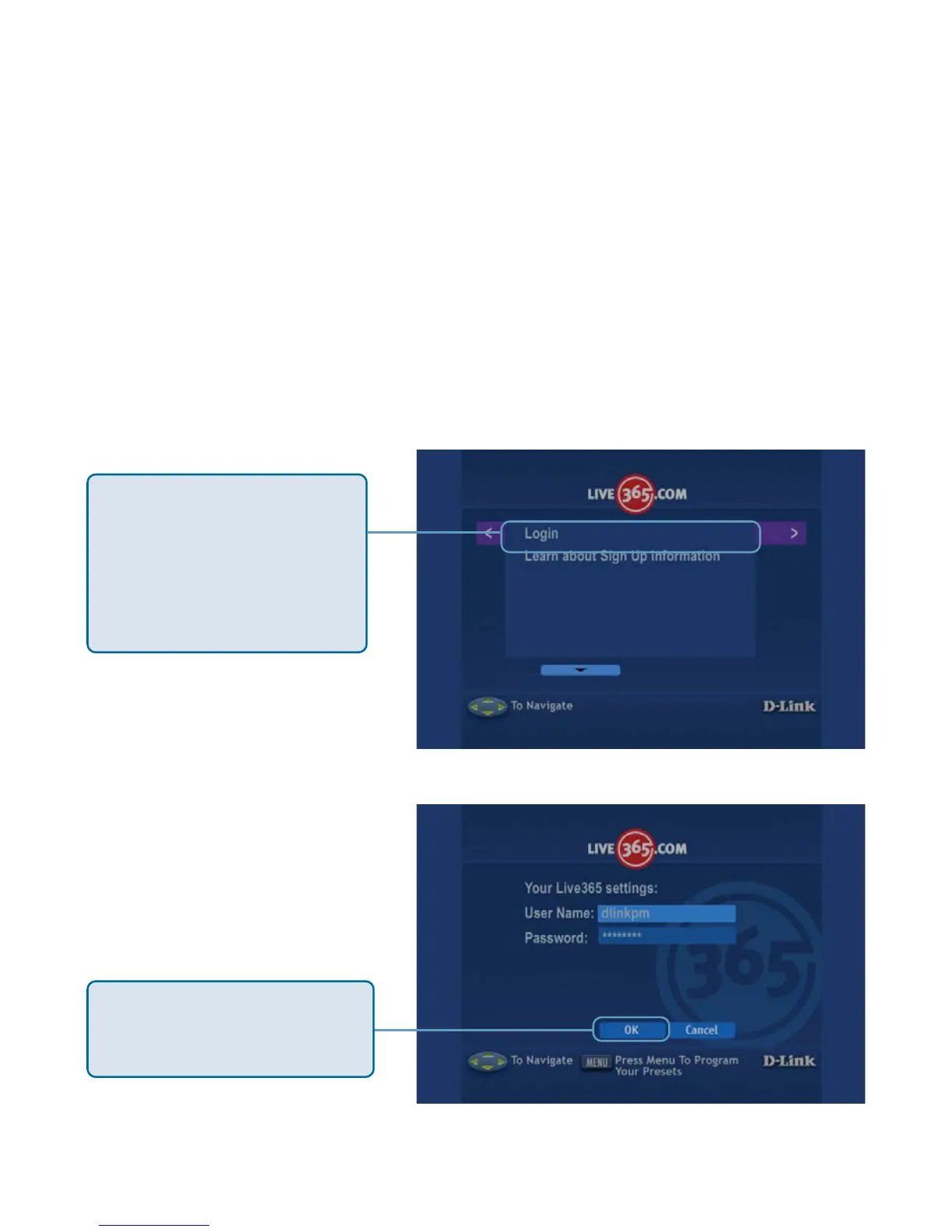
Setups: Click to access setup features such as Login and Learn about Sign
Up information.
Search: Allows you to enter a song or artist to search for Live365 stations that
play that music. Press the MENU button to add a station to your preset list.
Click Login to enter in
your Login information. If
you do not have a Live365
account, click Learn
about Sign Up
information.
Enter in your User Name
and Password, and click
OK.



 To Next Page