80
Online Media (continued)
Configuring Rhapsody
™
for use with the DSM-320
(continued)
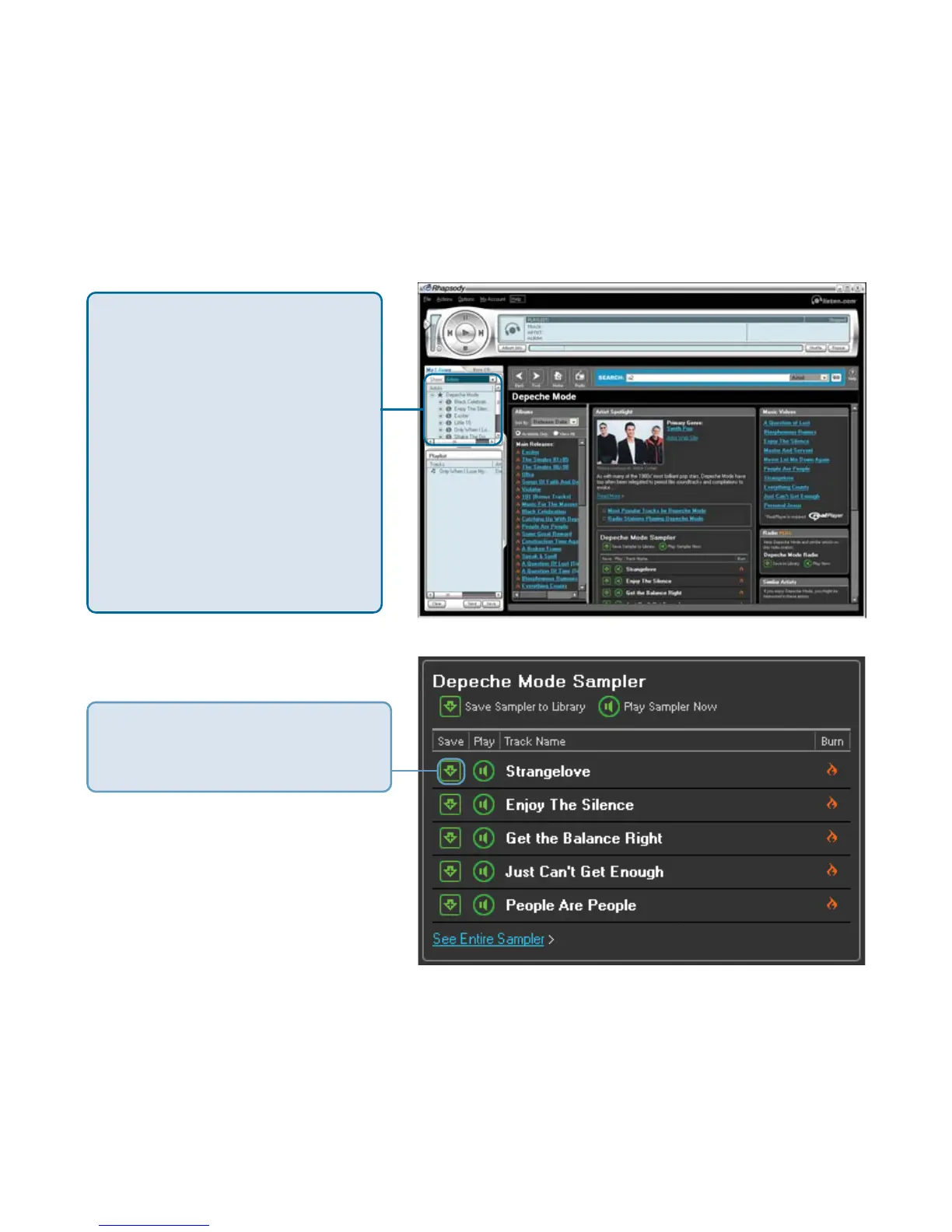
Only songs (albums or individual tracks) and radio stations that have been
added to your library are available for streaming to your DSM-320.
The library displays music
and radio stations that have
been added to your library.
The library can be sorted by
artist, tracks, albums, and
radio stations. If you’ve
created playlists, you can
sort these as well. Only
items listed in the library
are accessible through
the DSM-320.
To add a song to your library,
click on the down arrow icon
next to the selected track.
Once your library is configured, you can access the Rhapsody
™
content on
your DSM-320 just as you would with media stored on your computer.



 To Next Page