22D-Link DWA-121 User Manual
Section 3 - Conguration
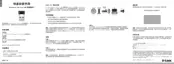
To use the PIN method, select PIN (Personal Identication Number) and click Next.
Make sure your access point or wireless router is close by. Write down the number
on the screen. Enter this number in your access point or wireless router. Please
refer to the manufacture’s manual for instructions.
Once you click Next, you will have two minutes to enter this number in your
access point or wireless router.
Personal Identication Number (PIN)












 To Next Page