27D-Link DWA-121 User Manual
Section 3 - Conguration
Modify Prole
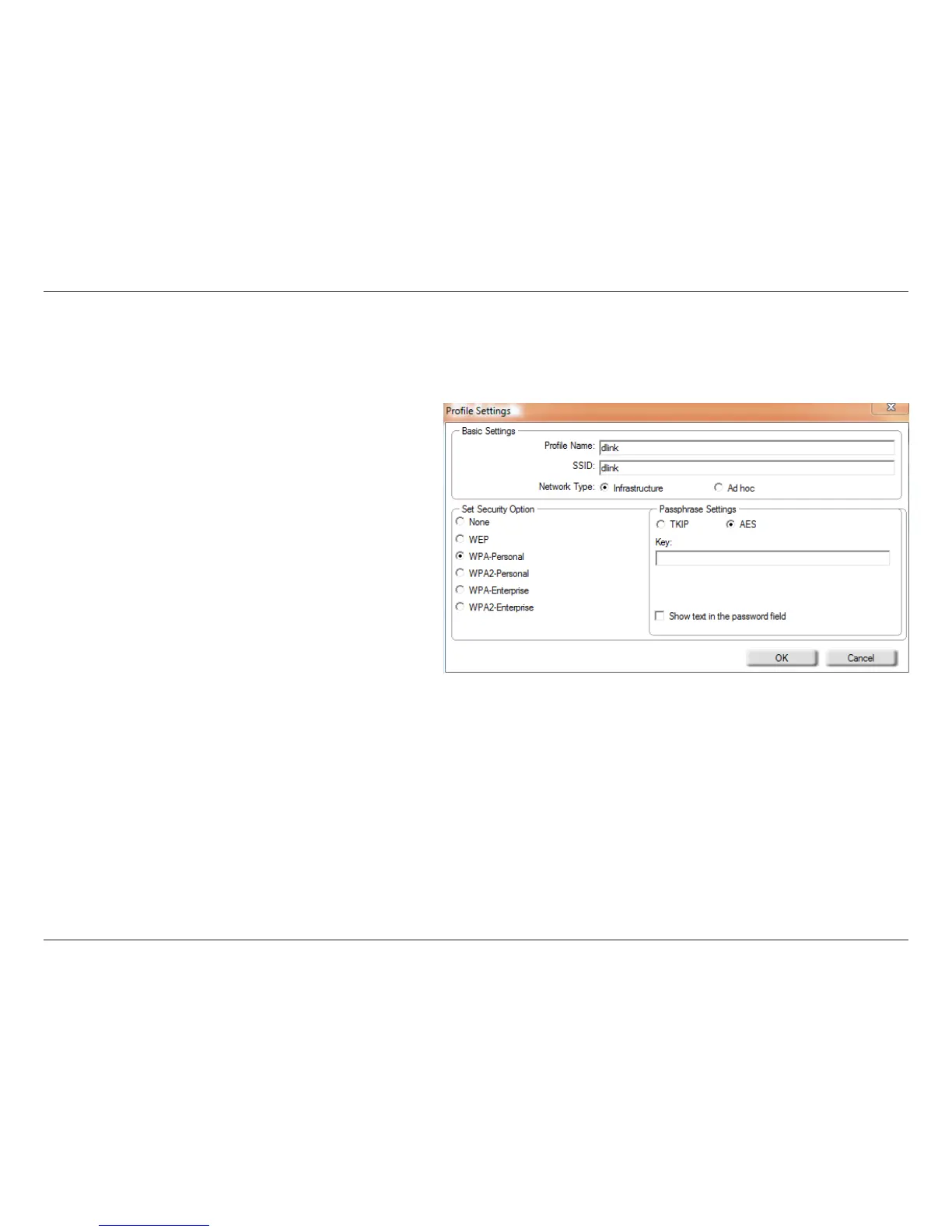
YoumayeditanexistingprolebyselectingtheproleandclickingtheModify button from the My Wireless Networks page.
Prole Name:
SSID:
Enter a name for your prole (e.g. Home, Oce,
Coee Shop).
Displays the SSID of the network.
Displays the network type.
Select the type of security used. Please refer to the
Wireless Security section for more information.
Click OK to save your settings.
Network Type:
Security Type:
OK Button:












 To Next Page